Frontend Development
I. Background
lmes-cli is a tool developed to quickly create development templates for external LMES components, reducing repetitive work such as CRUD operations and improving development efficiency. https://www.npmjs.com/package/lems-cli
Installation Command
yarn add -g lmes-cli
# OR
npm install -g lmes-cli
# OR
pnpm install -g lmes-cli
Create Project
lmes create my-project
# OR
lmes-cli
Start Project
cd my-project
yarn dev
# OR
cd my-project
npm run dev
II. Environment Preparation
Development Tools
VS-Code is recommended.
https://code.visualstudio.com/
Essential Plugins
1.Vue - Official
2.Prettier - Code formatter
3.esbenp.prettier-vscode
4.streetsidesoftware.code-spell-checker
5.dbaeumer.vscode-eslint
Nodejs
nodeJS >= 20
npm install -g lmes-cli
After installation, run the following command to view help
lmes-cli -h
-e361eccb42979c16d61c039f87a4c9c9.png)
Run the command to quickly create an lmes development template
lmes-cli create Test
-e88e47fd3ea3915e25e1e4e9cdc86ee8.png)
After the code is pulled successfully, the required dependencies will be installed automatically. After the dependencies are installed, follow the prompts to run the following command to start the server.
cd [folder]
npm run dev
-54e1a896e714275d63dcdc3270152824.png)
-413d93f140da386f5fdd1660cb49af5a.png)
III. Create Component
When we have a requirement and want to create a new component, we don't need to manually create files and folders one by one. Just run the following command to achieve the same effect, and it supports basic CRUD operations.
lmes-cli widget FlowManagement

? Please enter entity name (e.g. Process) Flowdefinition
-f73cbd28ca0f8f45715fe1f675680f84.png)
Re-run npm run dev to view the effect of the component just created.
-455f095aa0f6e9a85c147a106a5e884d.png)
IV. Project Directory Structure
|- public
|- script
|- src
|----api
|----assets // Resources
|----cms // cms sdk dependencies
|----libs
|--------Create // Create objects
|--------Base // Base modules
|--------Permission // Permissions
|--------Store // Public data
|--------Language // Multi-language
|----components // cms sdk dependencies
|------BaseDialog // Encapsulated dialogs, unified style
|------Table// Encapsulated tables, unified style
|------other...// Others
|----provider // Global injection, element namespace
|------provider.ts // h
|------provider.vue // render component
|----utils // Tools
|------enum // Enums
|----widgets // Components
|------hook.ts // Hooks
|------...
index.html
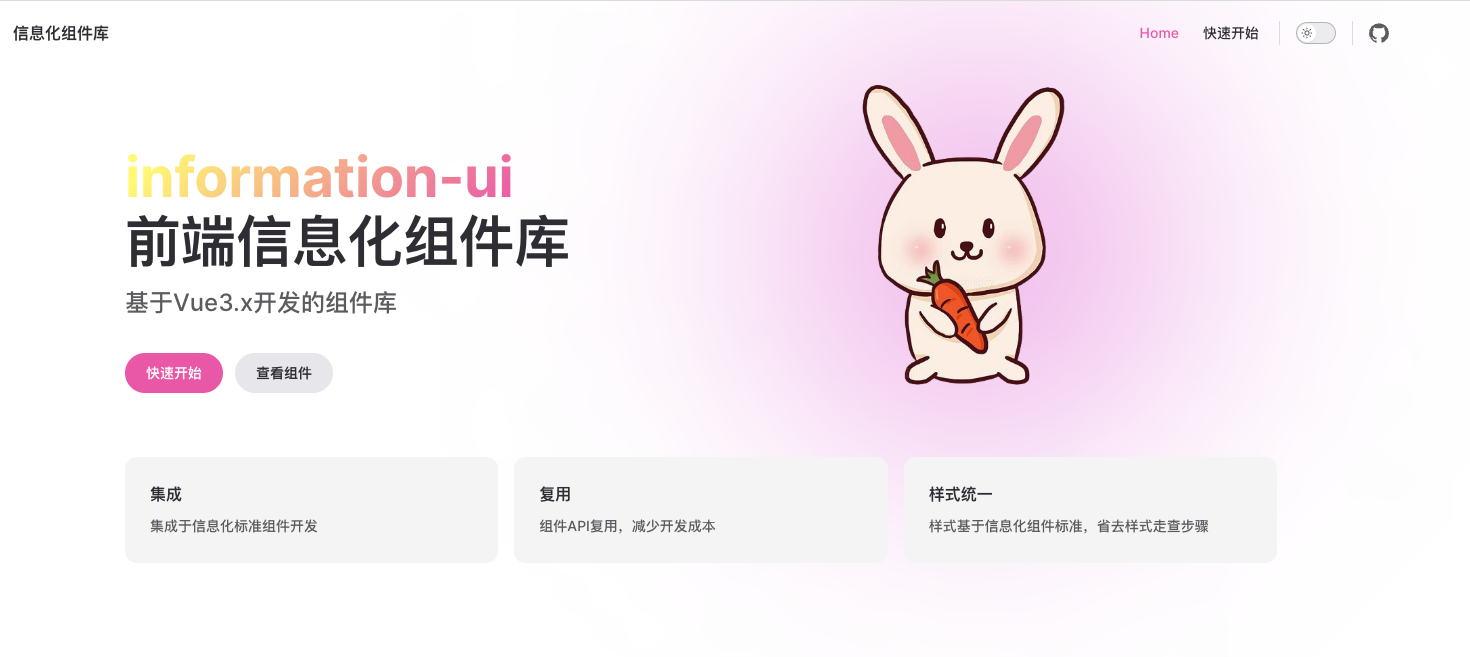
V. Frontend Component Library information-ui
In the process of information component development, a batch of extensible components has been abstracted according to the current design draft. This component library can meet the development of daily routine components.
- Intranet: http://192.168.2.206:18000/info/index.html
- Extranet: https://temp.syc-cms.com:8443/info/index.html
-69fe95f81645eec391c3a3917572826d.png)
VI. Function Extension
1. Support Online Generation of Development Template CRUD
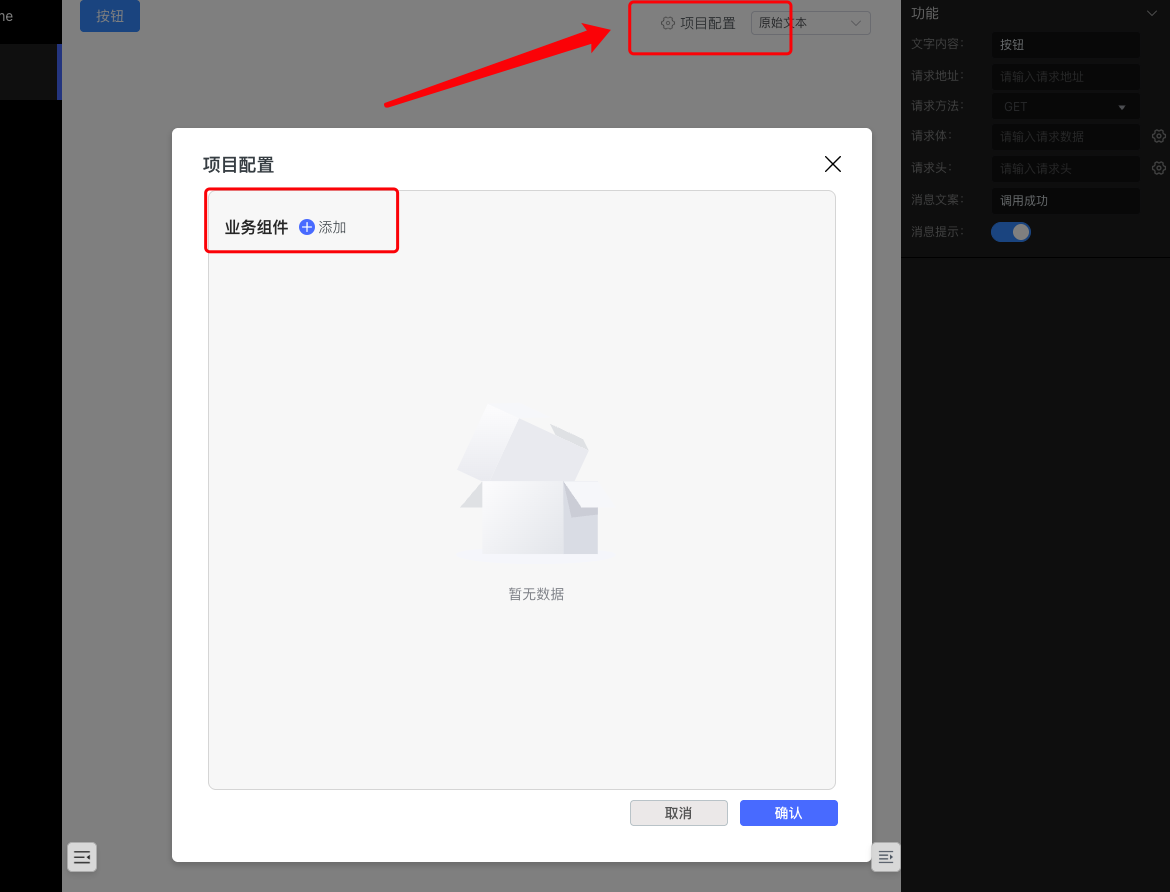
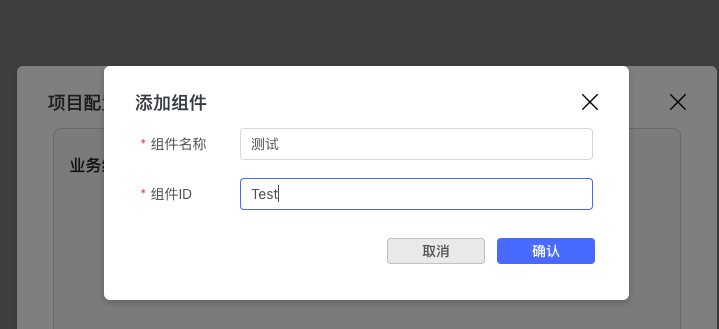
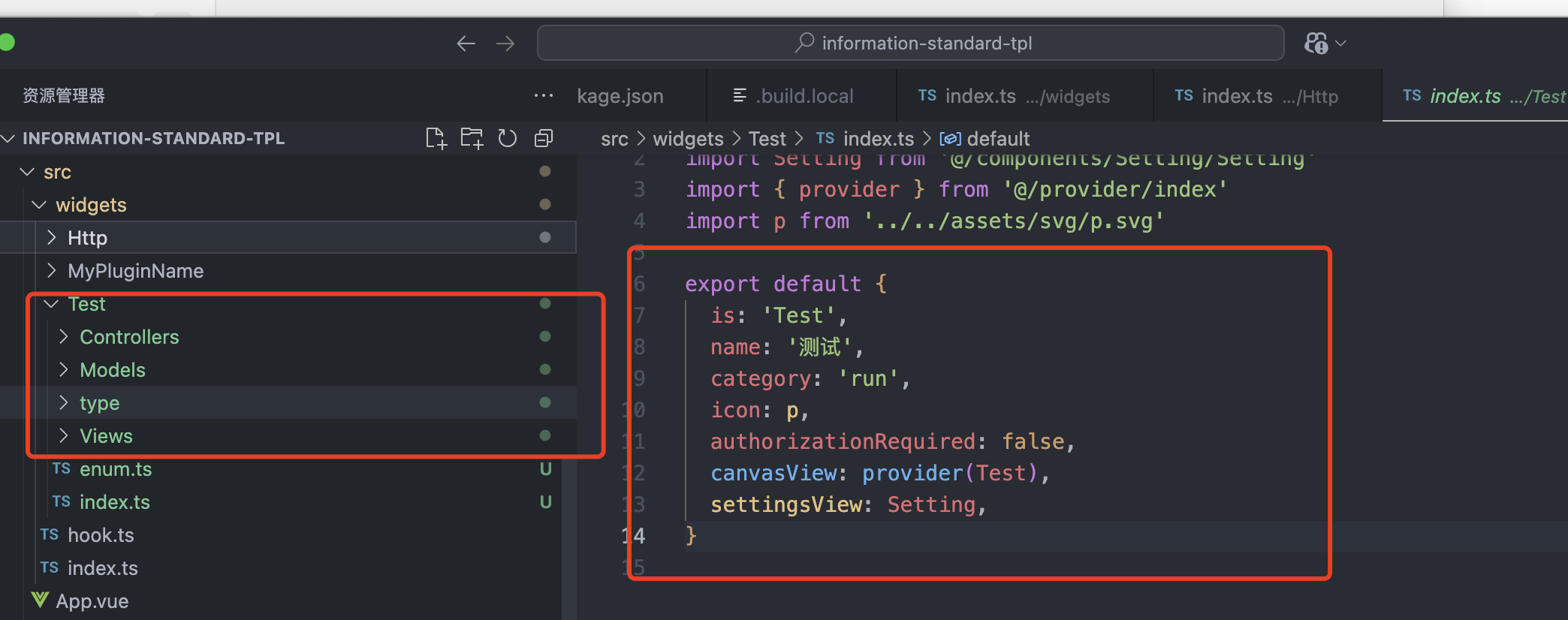
By clicking "Add Component", configuring the component name and component ID, and clicking OK, a basic component will be generated in the local src/widgets directory, with CRUD capabilities. You only need to change the interface fields according to the interface definition.
2. Support Component Settings and Properties Configuration
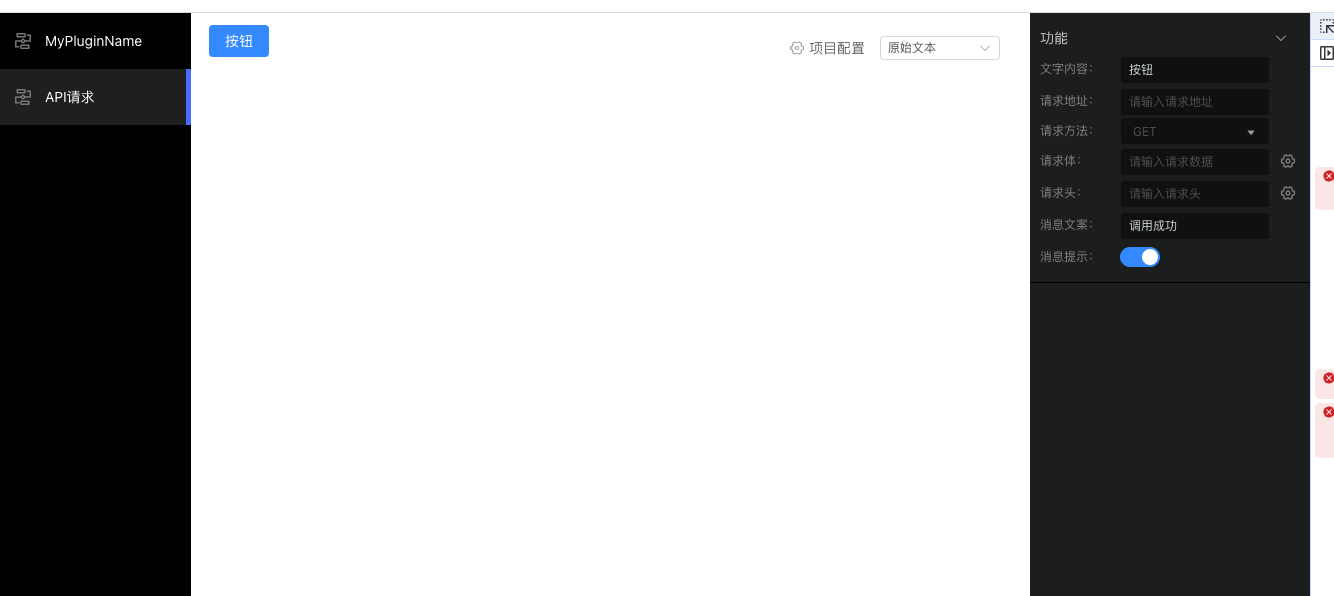
Configure the right setting panel by configuring [widgetName].settings.vue|tsx in the code to improve development efficiency.
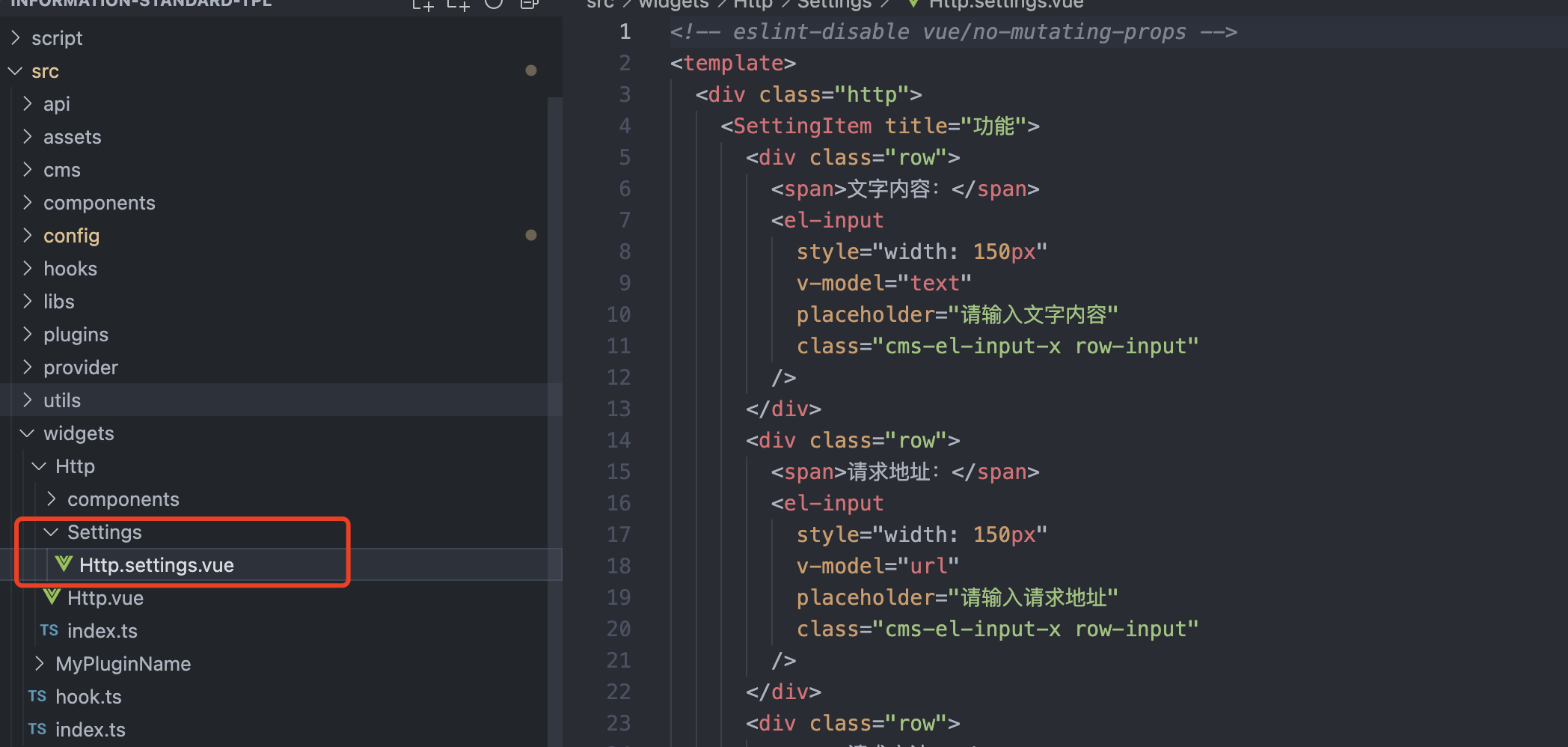
Ensure the display effect and output result are consistent with the client.
3. Support Local Debugging of Multi-language Configuration, Add Optional Multi-language, Improve Development Efficiency
You can change the multi-language configuration file in the code according to your needs.
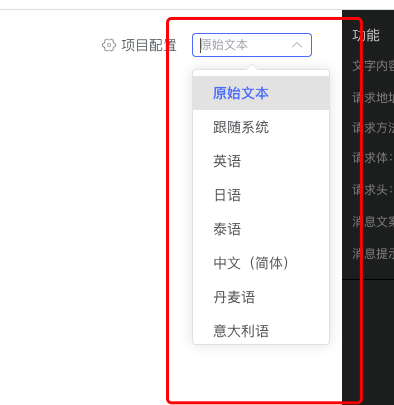
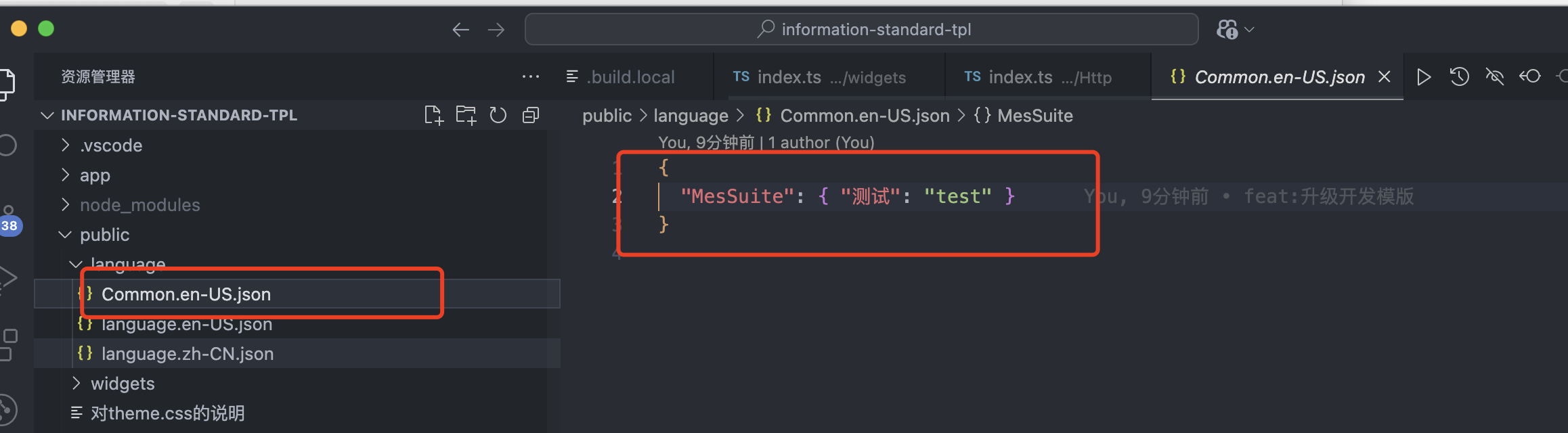
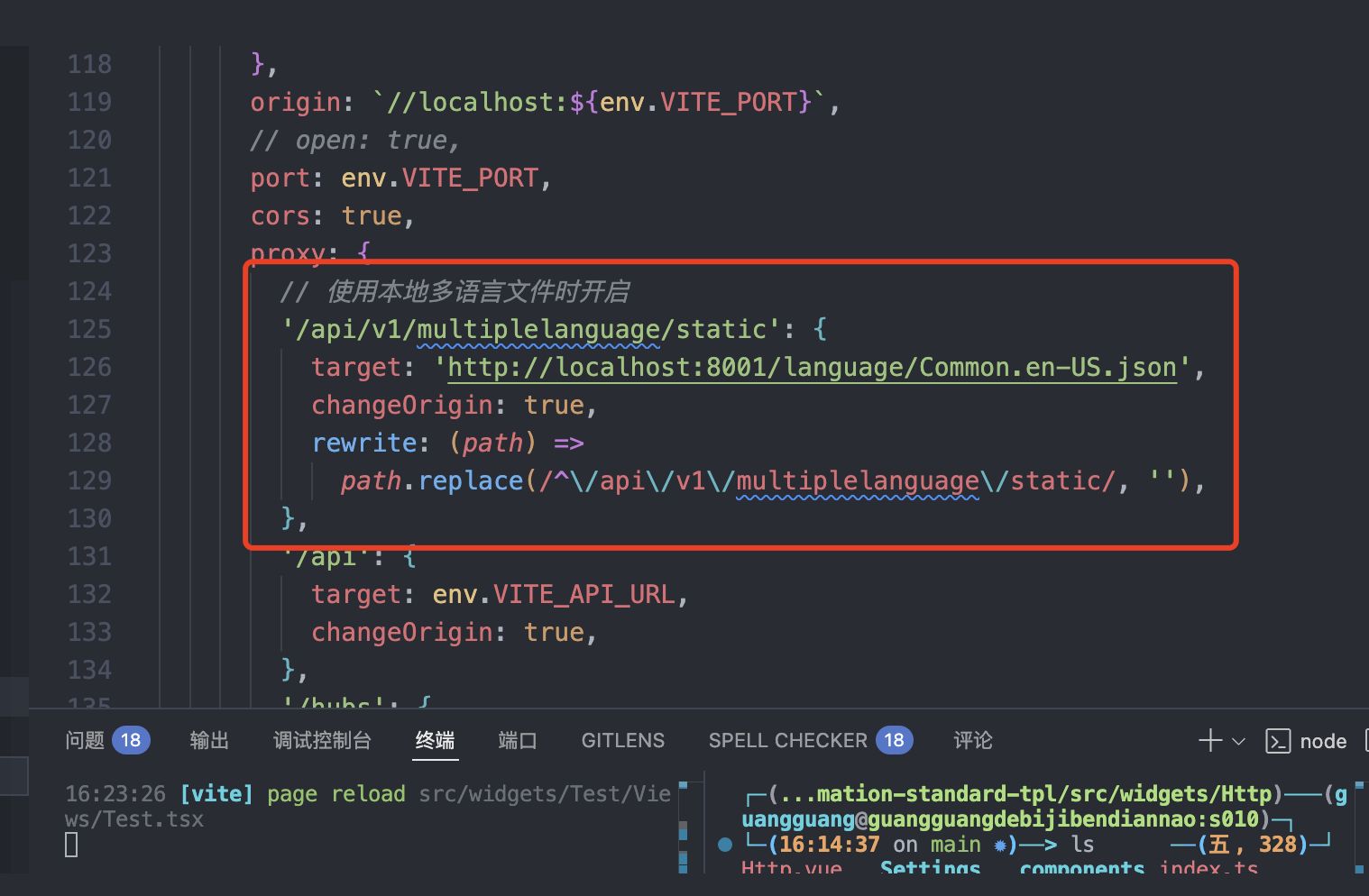
4. Upgrade Table Component, Support Single Selection, Optimize Performance and User Experience
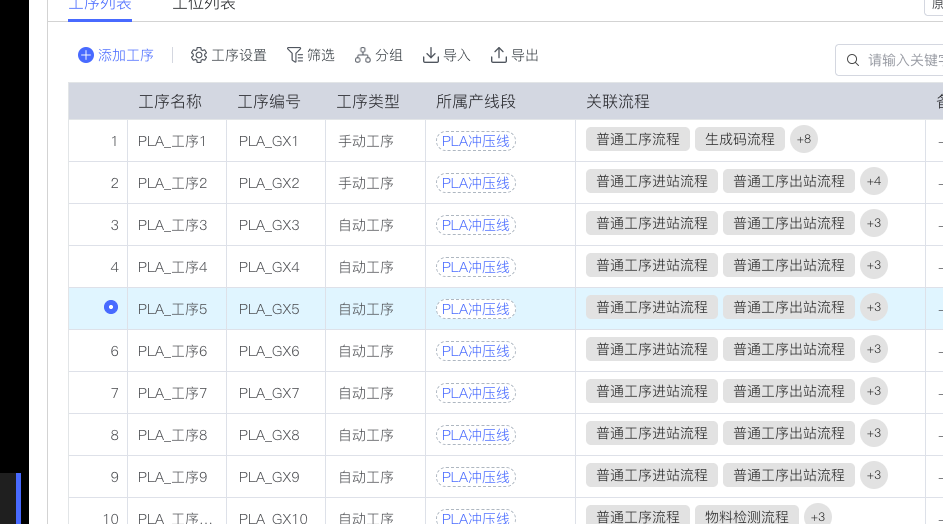
Compatible with checkbox events, output onChange call externally.
5. Upgrade element-plus Version and Vue Version
{
  "element-plus": "2.6.3",
  "vue": "3.4.27"
}
6. Upgrade SDK Version, Support Latest Version Variable Monitoring, etc.
No need to change the usage mode of the code, automatic adaptation.
7. Optimize Automatic Menu Generation Script, Adapt to Multi-scenario Issues
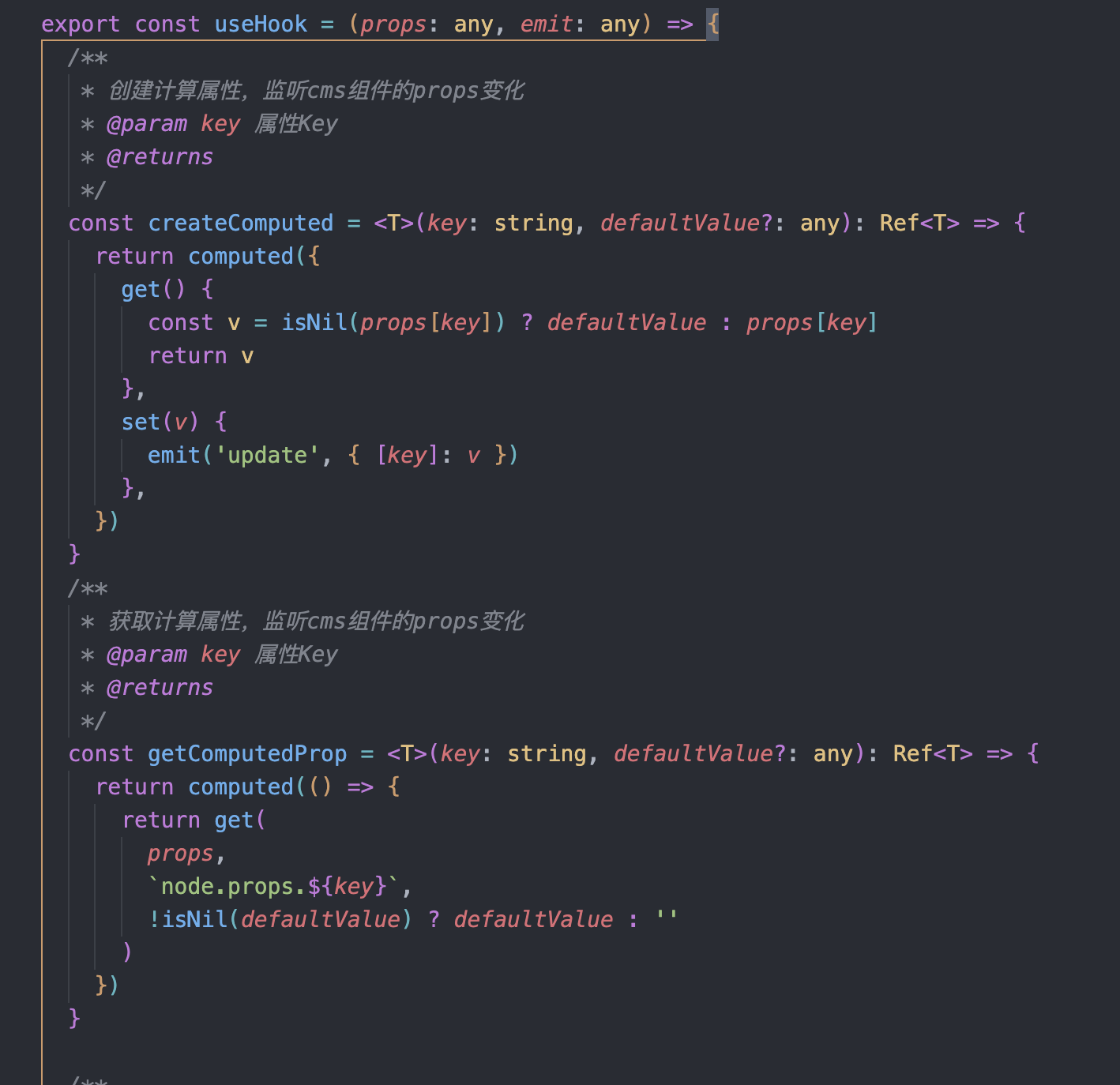
8. Support Component Computed Property API, Manage Component Settings Properties and Configuration
Improve the efficiency of configuring component settings, improve component development efficiency and fault tolerance.
(1) Application Scenarios
Case:
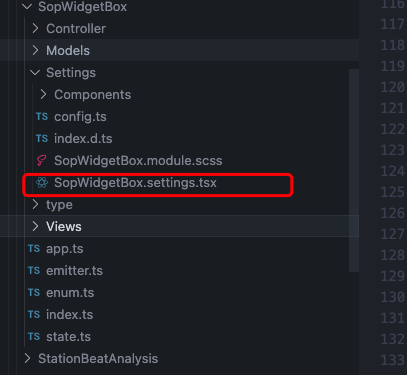
In the setting file, for example, there is a manual dashboard component, the position of the component is as shown in the figure:
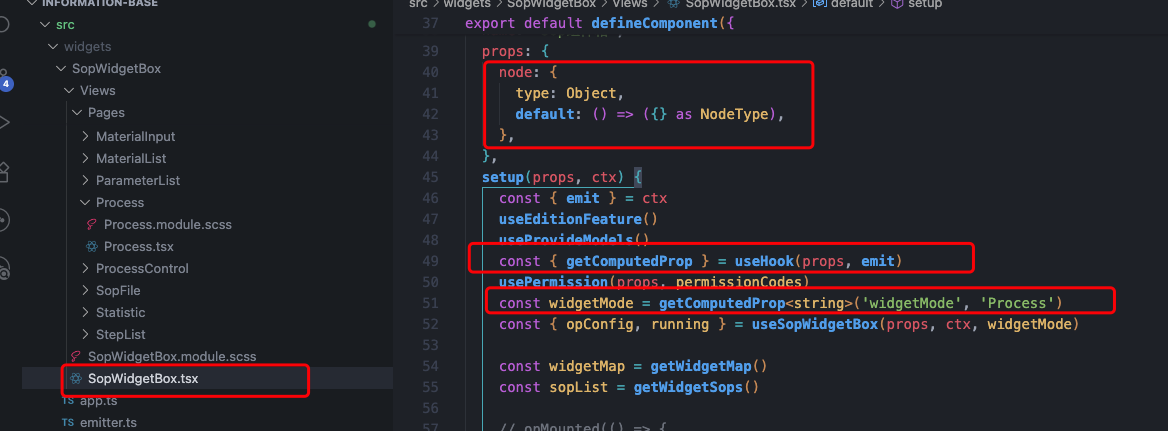
Need to configure its required properties and functions in the component.
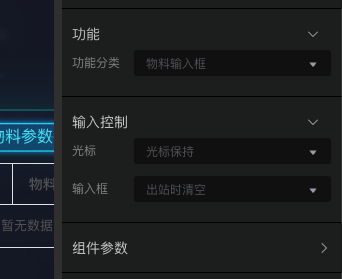
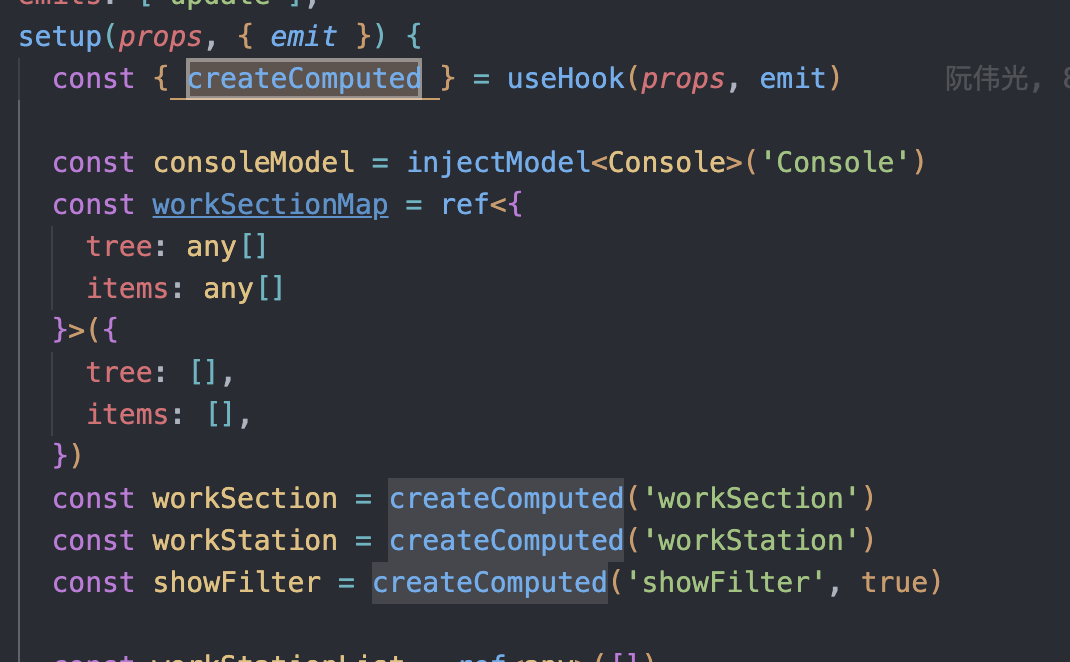
Create the variables to be monitored through the createComputed function. For example, the function classification component in the figure is as follows in the code:
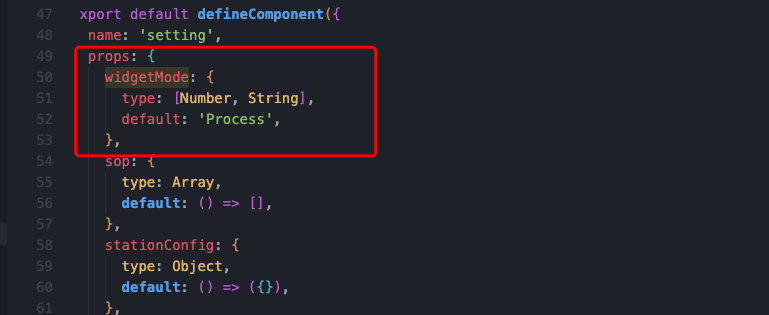
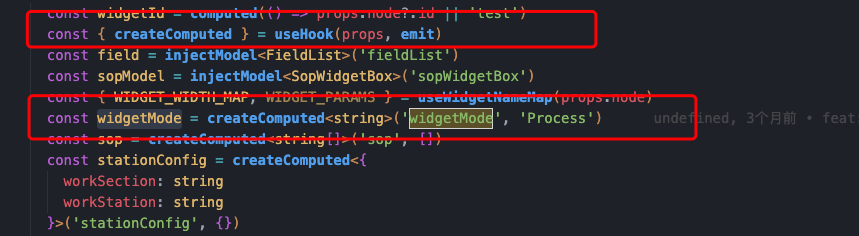
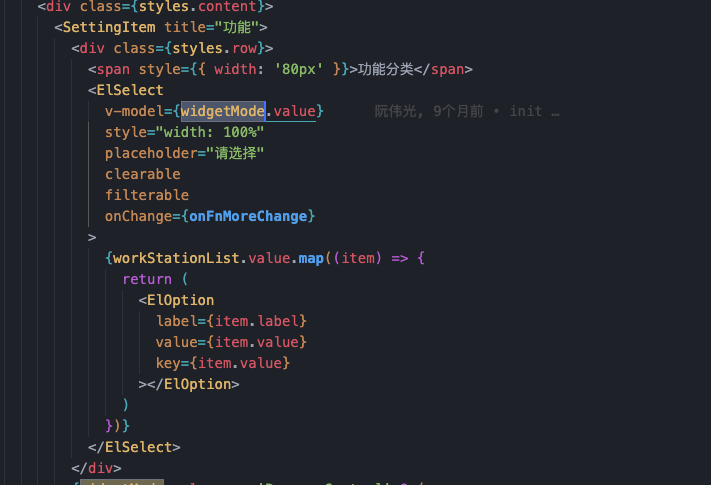
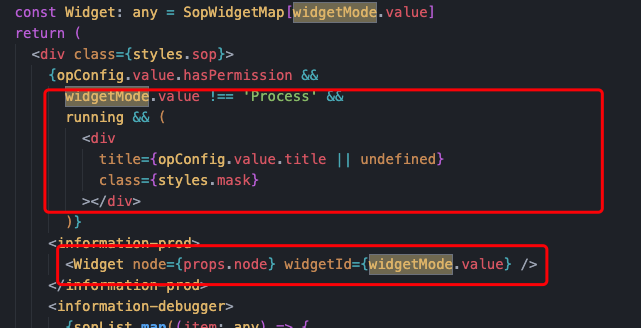
By referencing it in the code, setting props, and finally assigning v-model directly in the code to complete the configuration. For example, widgetMode in the figure is a ref property with responsive capabilities.
In addition, on the page side, first you need to set the node property (must be set), secondly you need to introduce the function getComputedProp, pass the configured parameter widgetMode to complete the configuration. When the property of the right property panel changes, widgetMode will also change through the above configuration.