Frontend Architecture Documentation
Directory
|- public
|- script
|- src
|----api
|----assets // Resources
|----cms // cms sdk dependencies
|----libs
|--------Create // Create objects
|--------Base // Base modules
|--------Permission // Permissions
|--------Store // Public data
|--------Language // Multi-language
|----components // cms sdk dependencies
|------BaseDialog // Encapsulated dialogs, unified style
|------Table// Encapsulated tables, unified style
|------other...// Others
|----provider // Global injection, element namespace
|------provider.ts // h
|------provider.vue // render component
|----utils // Tools
|------enum // Enums
|----widgets // Components
|------hook.ts // Hooks
|------...
index.html
Frontend component development follows the MVC design pattern, which are Controllers, Models, Views.

Controller is the business control end, which can be understood as hook in the code, associated with the data model of models, and finally affects the view display of the View end.
It is shown as follows in the code structure
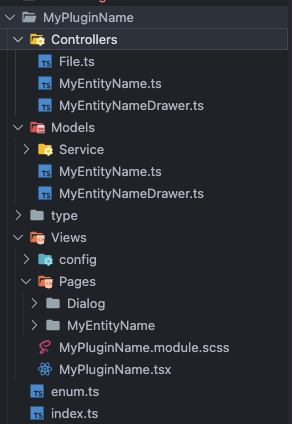
Ensure one View corresponds to one Model and one Controller.
Model
Each Model is accessible under global components. You can access a model individually or access the global model to ensure the sharing of data models.
import { injectModel, injectModels } from '@/libs/Provider/Provider'

// Individual model
...
 const myEntityName = injectModel<MyEntityName>('myEntityName')
...
// Global model data
...
const models = injectModels()
You can print the result yourself to check its structure
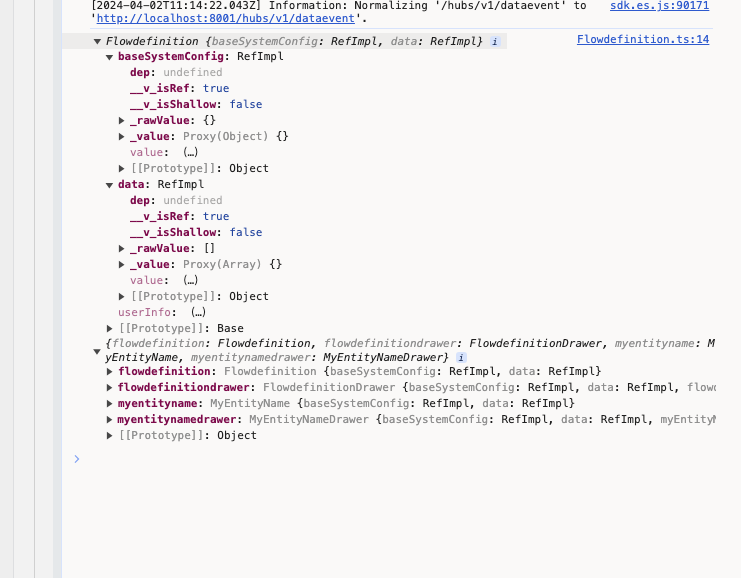
Each component Model can be passed an object, which can be picked up and used through object-oriented methods.
export class MyEntityName extends Base<{ [key: string]: any }> {
  constructor() {
    super({
      data: [],
      custom: {}
    })
  }

  getList() {
  }
  ...
}

// Use myEntityName data
myEntityName.data.value
myEntityName.custom.value
myEntityName.getList()
View
Compared with previous development, view interacts more with Controller, so do not put methods into view files. Keep the code clean.
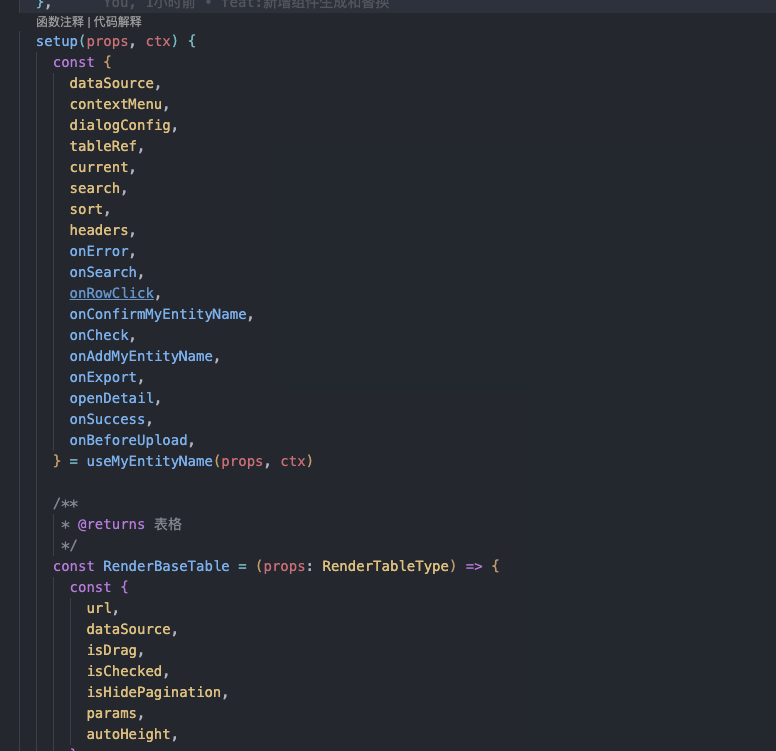
Controller
Ensure the correct use of component hooks and models, refer to the component document (information-ui) for other uses.
Permission
In response to the problem that the previous permissions were not easy to use and messy, unified rectification was carried out, and vue directives were used for permission verification. Need to introduce in the component root directory component, including the permission system.
import { usePermission } from '@/libs/Permission/Permission'
...

export default defineComponent({
  name: 'MyPluginName',

  setup(props, ctx: SetupContext) {
    useProvideModels()
    usePermission(props, permissionCodes)
...

Introduce permission directive where permission is needed
import { vPermission } from '@/libs/Permission/Permission'

...

export default defineComponent({
  name: 'MyEntityName',
  directives: {
    permission: vPermission,
  },
...

 <IconButton
    v-permission="myEntityName-add"
    icon="add-p"
    onClick={onAddMyEntityName}
    type="primary"
  >
    Add
  </IconButton>
Support Online Generation of Development Template CRUD
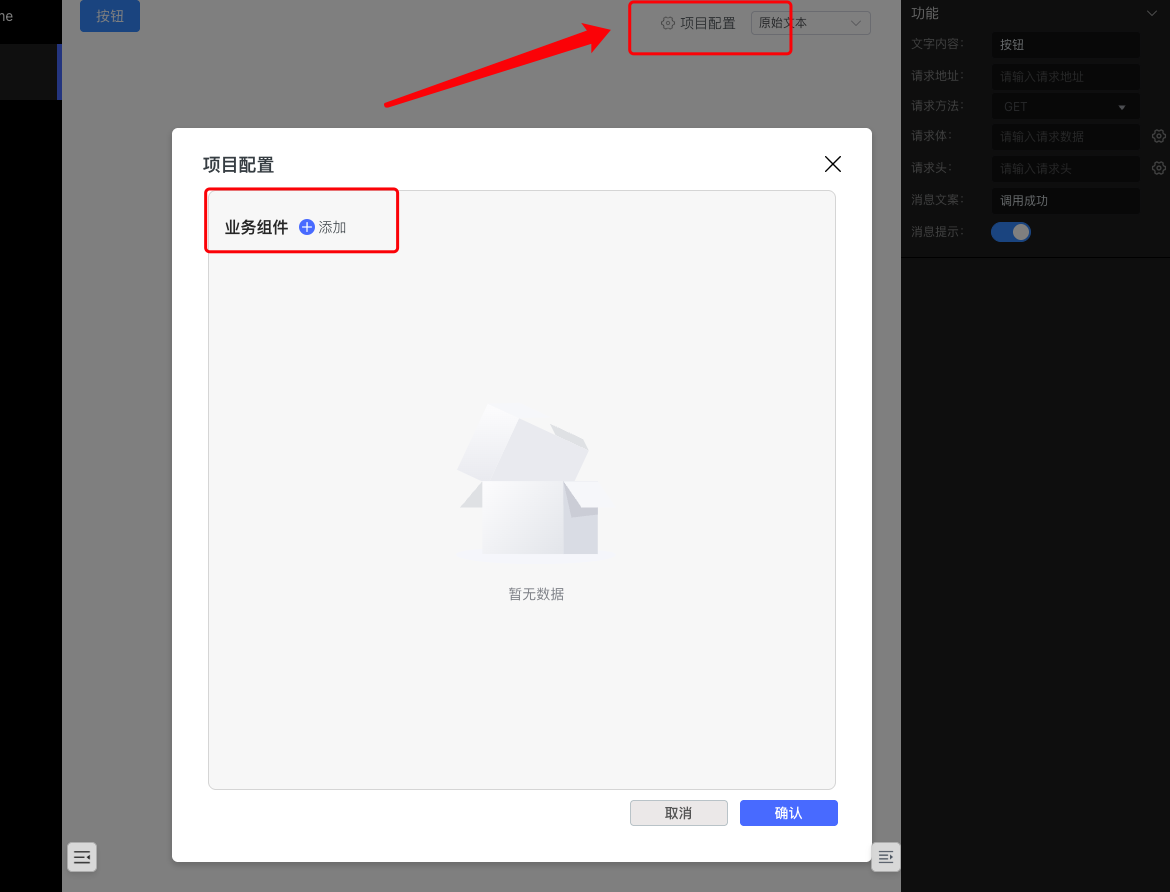
By clicking "Add Component", configuring the component name and component ID, and clicking OK, a basic component will be generated in the local src/widgets directory, with CRUD capabilities. You only need to change the interface fields according to the interface definition.
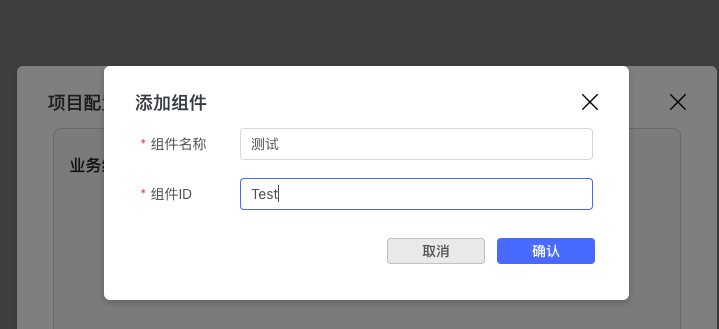
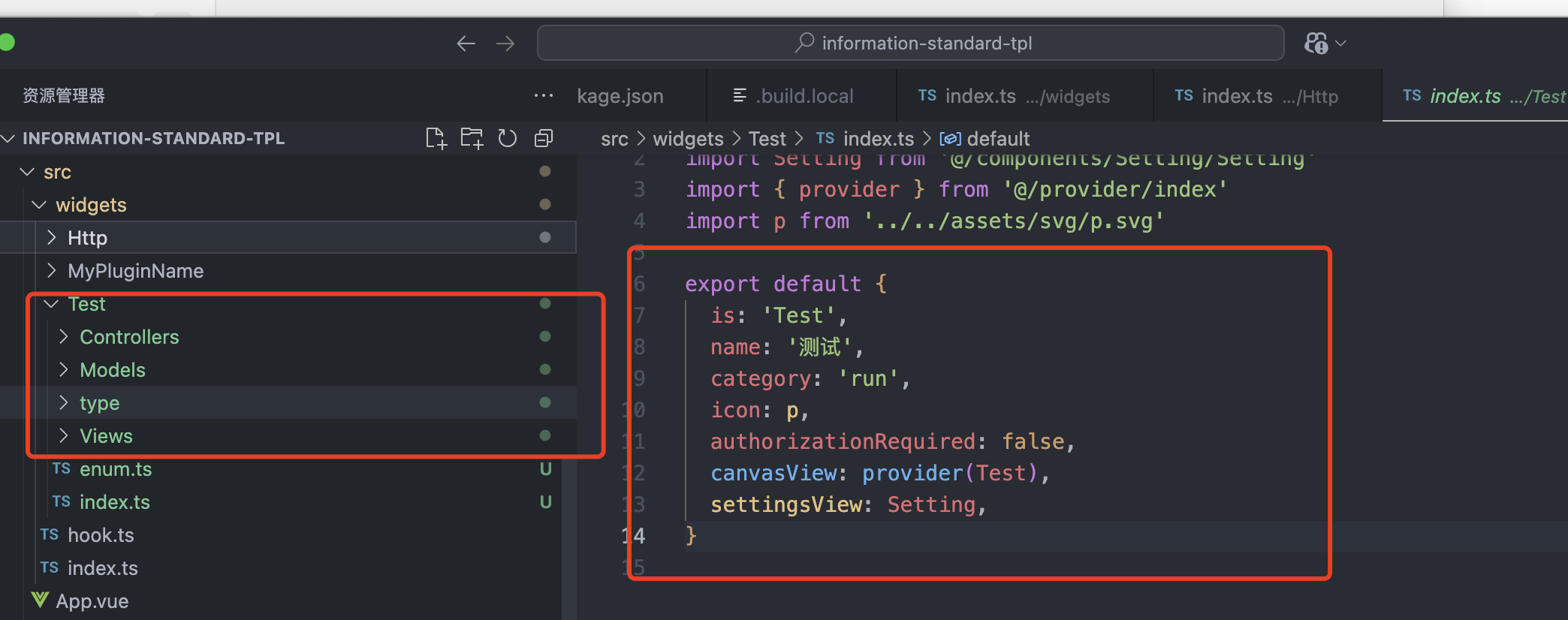
Support Component Settings and Properties Configuration
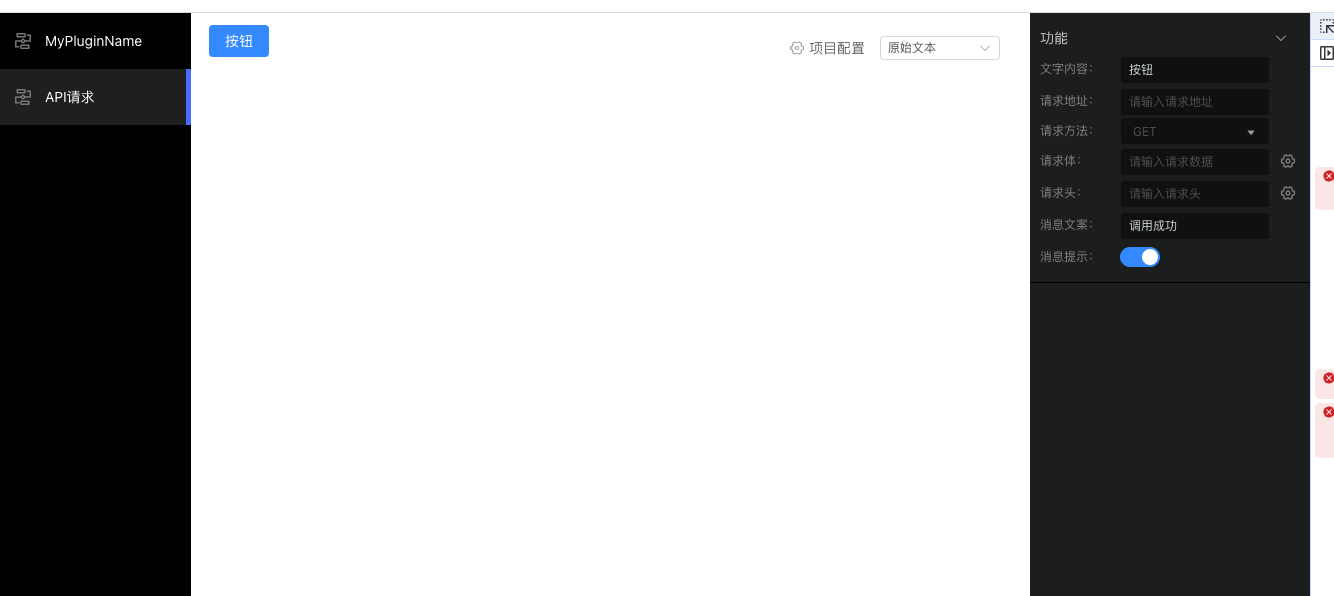
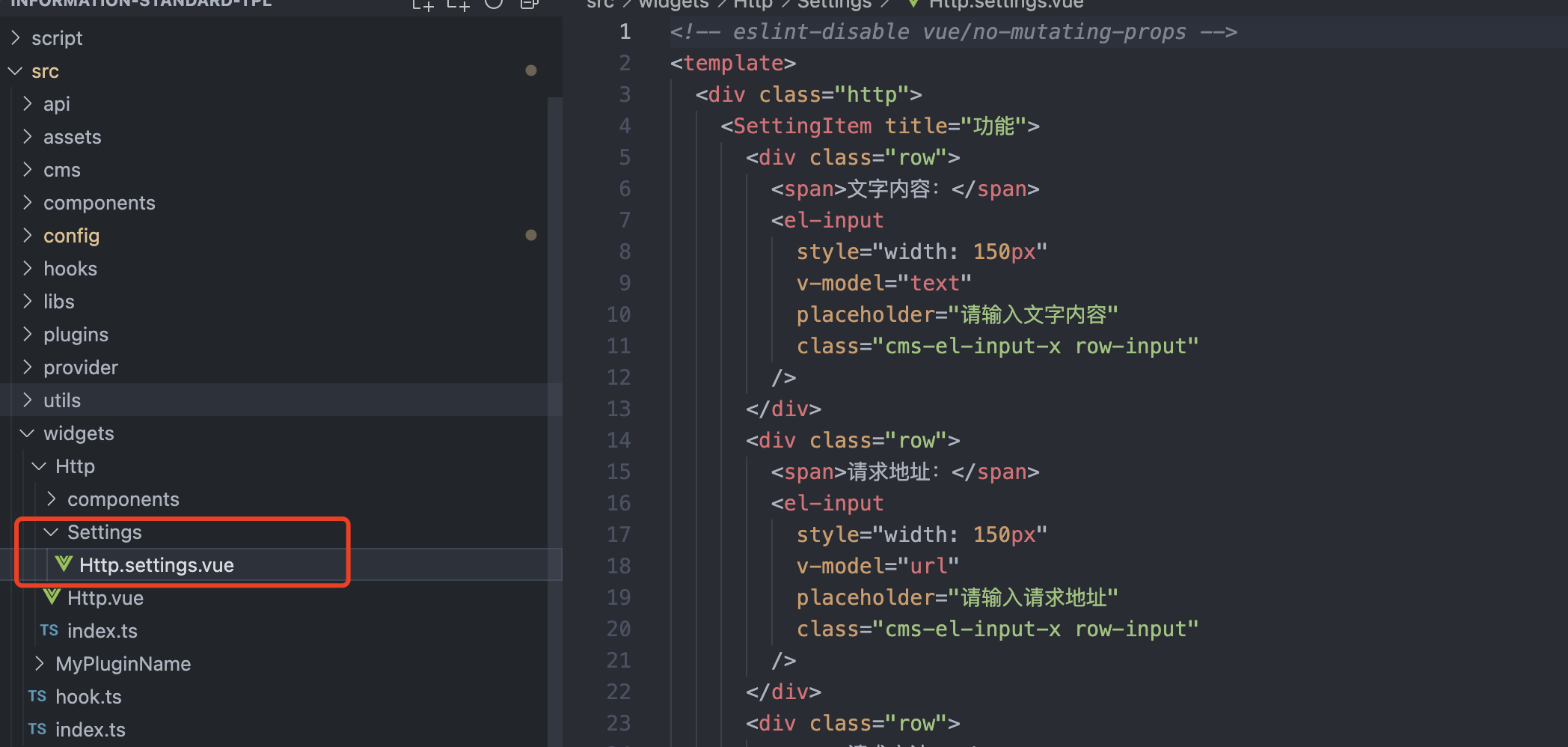
Configure the right setting panel by configuring [widgetName].settings.vue|tsx in the code to improve development efficiency.
Ensure the display effect and output result are consistent with the client.
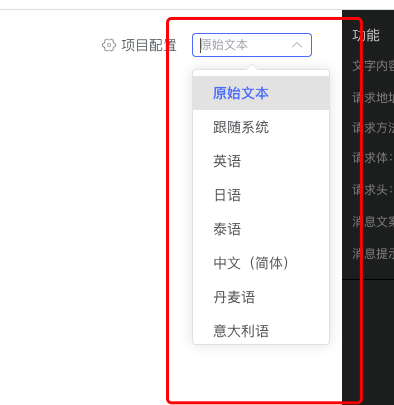
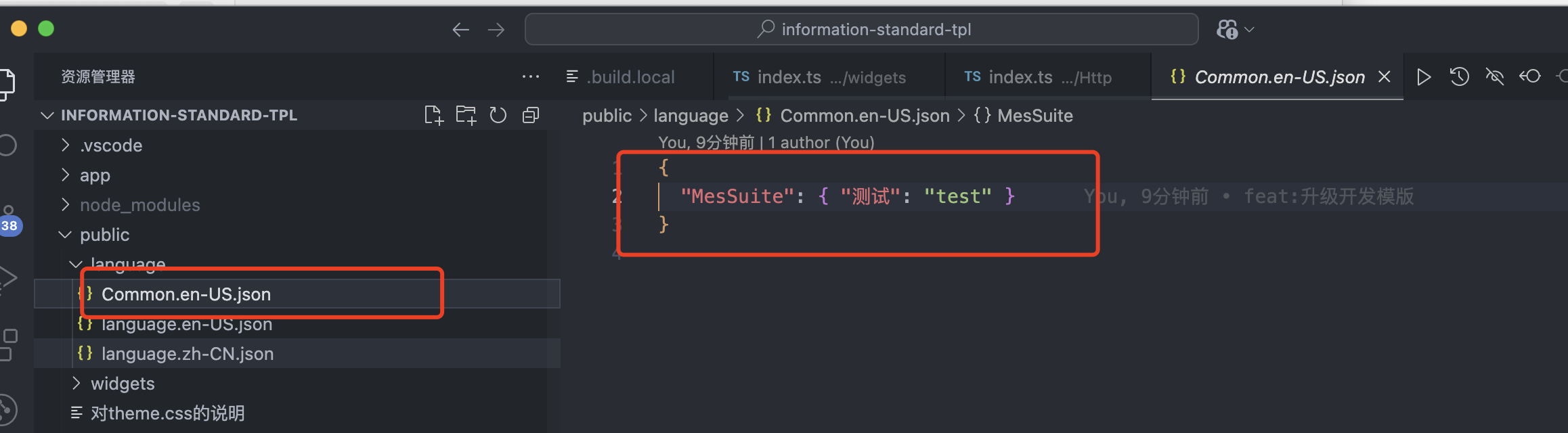
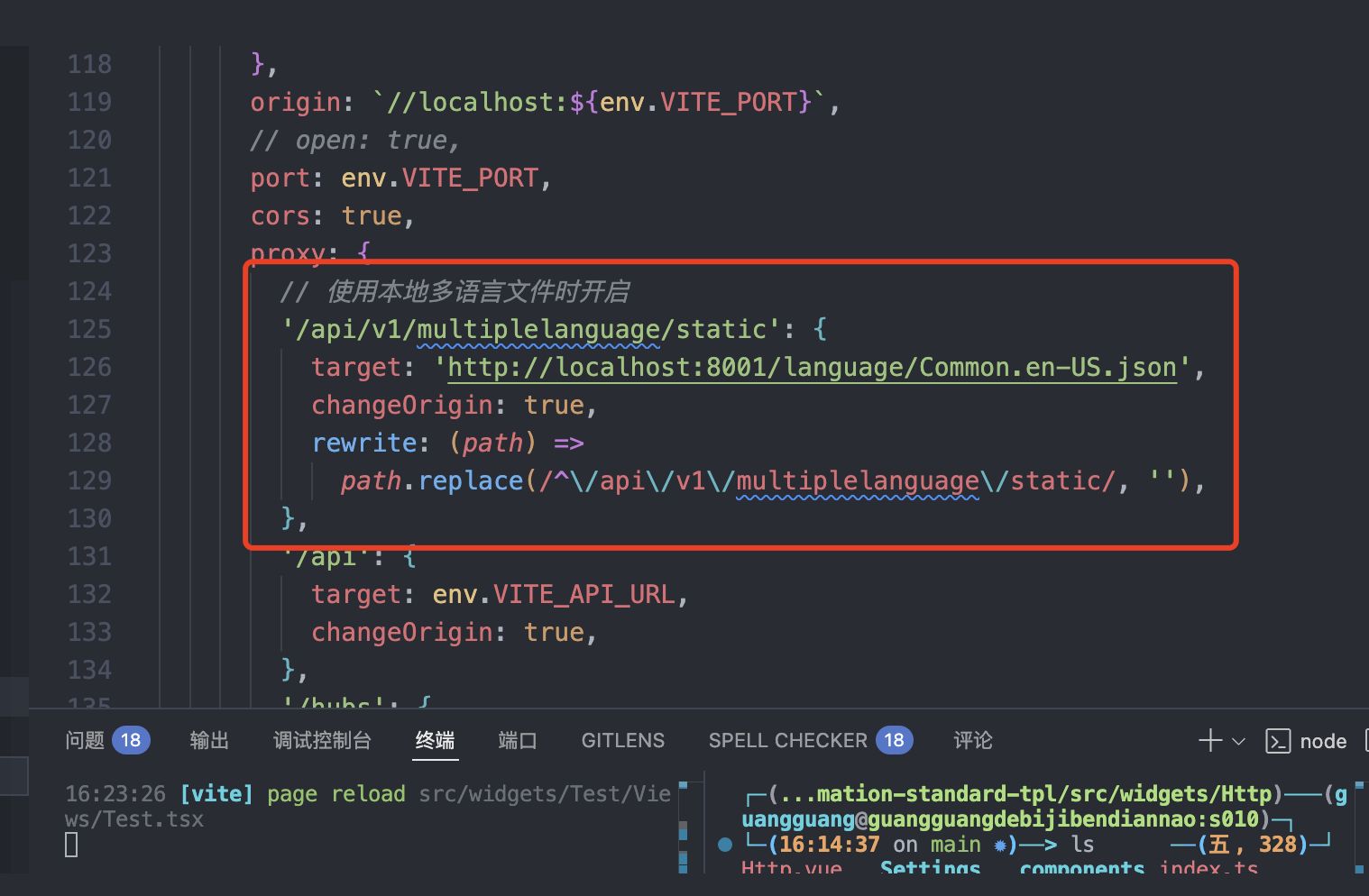
Support Local Debugging of Multi-language Configuration, Add Optional Multi-language, Improve Development Efficiency
You can change the multi-language configuration file in the code according to your needs.
Startup
Development environment and production compilation can both complete configuration fastest by installing the following configuration
yarn add -D lmes
In dev environment, the default configuration is as follows:
import VitePluginDevelopmentFilter from './script/plugins/vite-plugin-development-filter'

const tag = 'information-debugger'
const prodTag = 'information-prod'
import run from 'lmes'
export default run({
  plugins: [VitePluginDevelopmentFilter({ prodTag, tag })],
})
In prod compilation environment, the configuration is as follows:
import VitePluginWidgetProvider from './script/plugins/vite-plugin-widget-provider'
import VitePluginDevelopmentFilter from './script/plugins/vite-plugin-development-filter'

const tag = 'information-debugger'
import build from 'lmes'
export default build({
  plugins: [
    VitePluginWidgetProvider(),
    VitePluginDevelopmentFilter({ tag, prodTag: 'information-prod' }),
  ],
  esbuild: {
    drop: ['debugger', 'console'],
  },
})
Regarding the information-debugger and information-prod tags, these two are custom tags that can be used for local display and not displayed in the online environment. Through npm run build, the code nested in information-debugger will be deleted, and the online code actually does not exist.
Example:
 const Widget: any = SopWidgetMap[widgetMode.value]
  return (
    <div class={styles.sop}>
      {opConfig.value.hasPermission &&
        widgetMode.value !== 'Process' &&
        running && (
          <div
            title={opConfig.value.title || undefined}
            class={styles.mask}
          ></div>
        )}
      <information-prod>
        <Widget node={props.node} widgetId={widgetMode.value} />
      </information-prod>
      <information-debugger>
        {sopList.map((item: any) => {
          const Widget: any = SopWidgetMap[item.value] || h('div')
          return (
            <div style={{ height: '350px', overflow: 'auto' }}>
              <span style={{ color: 'red' }}>
                {widgetMap[item.value].label}
              </span>
              :{<Widget node={props.node} widgetId={item.value} />}
            </div>
          )
        })}
      </information-debugger>
    </div>
  )
This function is implemented through the vite plugin, completing the function by processing template code in different life cycles of vite.
/**
 * Add debugger component
 * @param option
 * @returns
 */
export default function VitePluginDevelopmentFilter(option: {
  tag: string
  prodTag: string
}): any {
  return {
    name: 'vite-plugin-development-filter',
    transform(code, id) {
      const { tag, prodTag } = option
      const regexWithCapture = new RegExp(
        `<${tag}>([\\s\\S]*?)<\\/${tag}>`,
        'g'
      )
      const regexWithCaptureProd = new RegExp(
        `<${prodTag}>([\\s\\S]*?)<\\/${prodTag}>`,
        'g'
      )
      if (regexWithCapture.test(code)) {
        if (process.env.NODE_ENV === 'production') {
          const newCode = code.replaceAll(regexWithCapture, '')
          return newCode
            .replaceAll(`<${prodTag}>`, '')
            .replaceAll(`</${prodTag}>`, '')
        }
      }
      if (regexWithCaptureProd.test(code)) {
        if (process.env.NODE_ENV === 'development') {
          const newCode = code.replaceAll(regexWithCaptureProd, '')
          return newCode
        }
      }
      return code
    },
  }
}
ts configuration is as follows, the latest version of lmes only supports ESM development mode
tsconfig.json

{
  "compilerOptions": {
    "experimentalDecorators": true,
    "skipLibCheck": true,
    "target": "esnext",
    "useDefineForClassFields": true,
    "module": "esnext",
    "moduleResolution": "node",
    "strict": false,
    "sourceMap": true,
    "resolveJsonModule": true,
    "esModuleInterop": true,
    "lib": ["esnext", "dom"],
    "jsx": "preserve",
    "jsxImportSource": "vue",
    "allowSyntheticDefaultImports": true,
    "noEmit": true,
    "allowImportingTsExtensions": true,
    "baseUrl": ".",
    "types": ["element-plus/global"],
    "plugins": [{ "name": "@vue/typescript-plugin" }],
    "paths": {
      "@/*": ["src/*"],
      "components/*": ["src/components/*"]
    }
  },
  "files": ["./src/index.d.ts"],
  "include": [
    "src/**/*.ts",
    "src/**/*.d.ts",
    "src/**/*.tsx",
    "src/**/*.vue",
    "src/**/*.js"
  ],
  "exclude": ["node_modules", "dist"]
}