Frontend Coding Standards
Variables and Comments
-
- Variable naming needs to use semantic naming, do not appear a, b, c, d, etc.
-
- Variable names and some functions need to add comments, try to briefly express their meaning.
-
- When the function logic changes, update the comments in time.
-
- Constants and variables that will not be assigned again use const.
Enum
Enum types need to be abstracted into separate files, for example:
export const PRODUCTION_TYPE = {
    0: 'Offline',  1: 'Online'}
...
import { PRODUCTION_TYPE } from './enum.ts'
type ProductionType = typeof PRODUCTION_TYPE
Request
Need to create new request api by component unit
widgets/[Component]/api/index.ts
import sdk from 'sdk'
const { request } = sdk.utils
// Get variable binding
function getVariableBinding() {
  const url = `/api/v1/showroom/dashboard/binding`
  const method = 'get'
  return sdk.request({ url, method })
}
Component Import
Check component dependencies, try to avoid circular dependencies.
Typescript
Naming Convention
-
- Use camelCase naming: variable, function and method names start with lowercase letters, class names start with uppercase letters.
-
- Use descriptive names, avoid abbreviations unless they are common abbreviations (such as HTTP).
Type Definition
-
- Explicitly specify the types of variables, function parameters and return values.
-
- Use TypeScript built-in basic types (such as number, string, boolean, etc.) or custom types as much as possible. Use interfaces and type aliases Use interfaces and type aliases to define custom data types and structures. Avoid using any type Try to avoid using any type unless necessary, because it will destroy TypeScript's type checking.
File Naming
Use uppercase first letter, no hyphen in the middle
.vue file: Test.vue
.tsx file: Test/Test.tsx
Space Indentation
Set indentation to 2 characters when creating a new file
-af278af53cdaa438b3a6e56c07c18984.png)
CSS Standards
When developing templates, need to use scoped for scope setting
<style lang='scss' scoped>
...
</style>
Class Naming
Use hyphen '-' to separate, ensure semantic
e.g.: .list-box .content etc.
Prohibit using global class to modify styles, such as public components, etc. If it is a vue file, write it under scope.
<style lang="scss" scoped>
...
</style>
TSX Development
Use modular way, for example:
-e4e8c06f12c0b899d066b3605abac4c6.png)
import styles from './Variable.module.scss'
// ...
<div class={styles.box}>...</div>
Configuration
To develop a component, you need to create a new folder under src/widgets. The folder name must be consistent with the name in src/widgets/index.ts, as follows:
import Example from './Example.vue'
import ExampleSettings from './Example.settings.vue'
import { provider } from '@/provider/index'

export default {
  is: 'Example',
  name: 'Example',
  category: 'run',
  authorizationRequired: true,
  icon: 'icon-tiaomaguanli',
  canvasView: provider(Example),
  settingsView: ExampleSettings,
}
Note that authorizationRequired: true requires component authorization to use after cms2.2.0.
Regarding provider, it is a solution adopted for the problem that secondary development component styles will be affected in cms2.0. Using the scope in element-plus for encapsulation can solve global problems such as style conflicts and zIndex existing in development.
import { h } from 'vue'
import Provider from './index.vue'

export const provider = (Widget: any) => {
  return (arg: any) => {
    return h(Provider, null, {
      default: (props: any) => {
        return h(Widget, {
          props,
          ...arg,
        })
      },
    })
  }
}
Variable Dialog
You can use the Variable component provided by the component that has been encapsulated for development.
import Variable from '@/components/Variable/Variable'
Refer to component documentation for details
-626774a61a048b098a0f212a879337e5.png)
Code Lines
Single file content function, cannot exceed 500 lines, separate functions need to be extracted for encapsulation reference, ensure code readability.
Console
When submitting git records, need to clear all console and debugger in the page.
Judgment
When designing judgment, use absolute equal sign (===) instead of == if possible, remove implicit conversion, ensure code robustness. e.g.:
const a = 1
const b = '1'
if(a === b) {
    // ...
}
DOM and Selector
Try to avoid using Dom operators such as document in code, use ref to get dom.
<div ref="divRef"><div>
Semicolon
After code ends, no need to write ";", just line break. Ensure code formatting is normal.
-01f972caa3d01568e3a8a90f023d4424.png)
Comments
Each variable and function needs to be commented to ensure readability for subsequent maintenance.
-c0d61bb6481b9f743cad65e329b7cf73.png)
Variable Declaration
Prohibit using var, use let and const. Use let for variable variables, const for constants.
-28eed86e88304c42b9834605769f18a1.png)
Hook and Naming
Prohibit using special prefixes such as , $, etc., naming should be semantic.
// ok:
let max = 100
let min = 0
// err:
let _max = 100
let _min = 10
Semantic naming, prohibit using Chinese and Pinyin and numbers.
// ok
let success = true
// err
let 成功 = true
let chengong = true
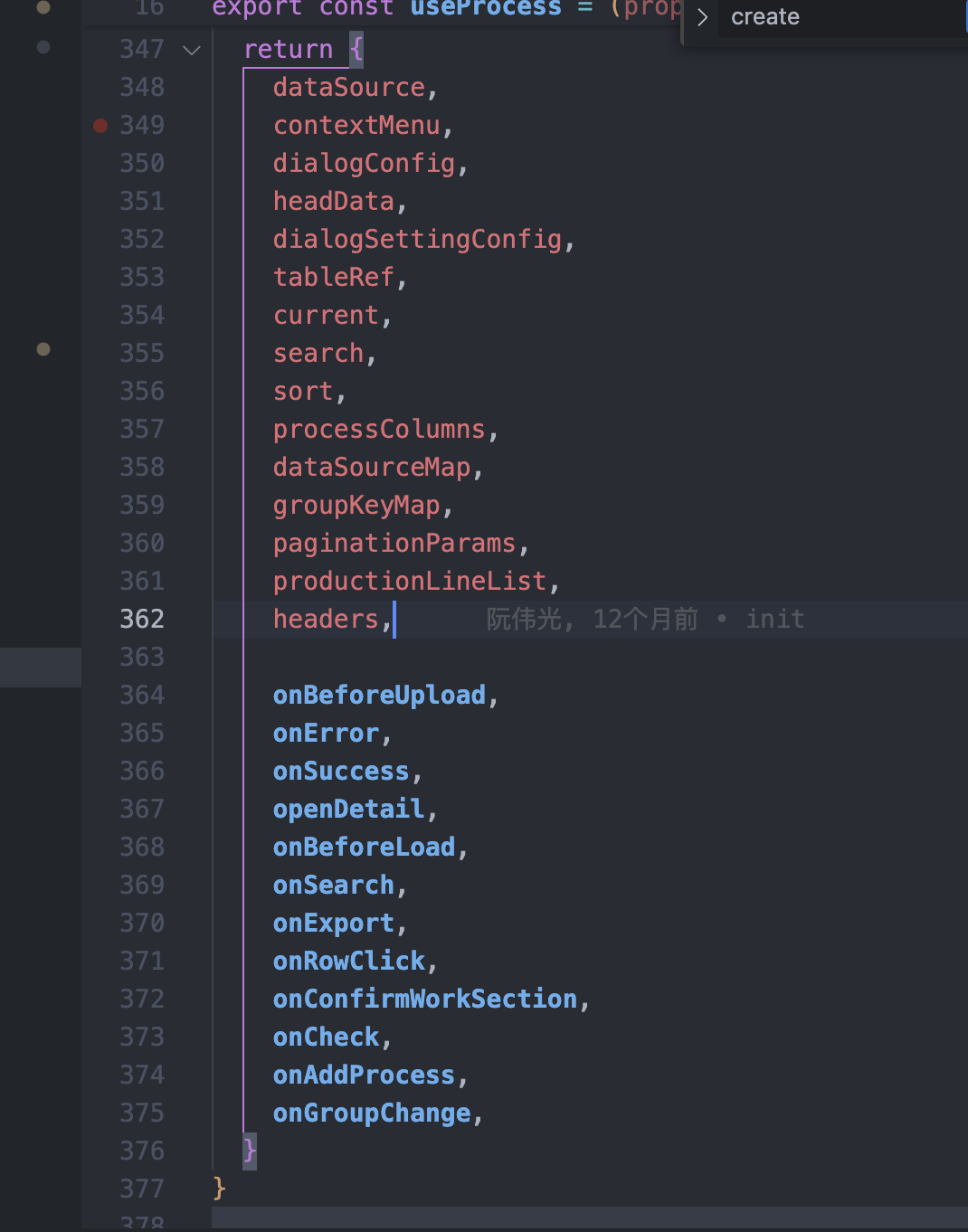
Component hook exposure should put variables and methods together, do not confuse.
Event Naming
Event naming needs to start with on. For example:
return {
    onBeforeUpload,
    onError,
    onSuccess,
    openDetail,
    onBeforeLoad,
    onSearch,
    onExport,
    onRowClick,
    onConfirmWorkSection,
    onCheck,
    onAddProcess,
    onGroupChange,
  }
Condition
Prohibit using Chinese names or even multi-language return values for comparison.
// ok
if (a === 1) {
  return true
}
// err
if (a === "Hello") {
  return true
}
if (a === _t("Hello")) {
  return true
}
🧹 Vue3 + TS Project Code Specification Issues List (InspectionRecords.vue)
Naming and Structure
| Problem | Suggestion | Example |
|---|---|---|
| Component name first letter uppercase |
err:
<pascalCase /> <inspectionRecords />
ok:
<PascalCase/>	<InspectionRecords/>
CamelCase Naming, Semantic
err:
getproductListFn naming not standard
ok:
CamelCase naming unified style, change to getProductList
// Semantic
err:
exportJudgmentFn redundant suffix
ok:
Remove Fn, change to exportJudgment
Watch Usage Problem
err:
watch(curTab) Logic complex, hard to maintain
ok:
Extract to useTabEffect() composition function
err:
Multiple watch monitoring date, repeated reminders
ok:
Merge processing logic, unify prompt control logic
Use Composition API for Clearer Encapsulation:
ok:
useFilterForm()
useTablePagination()
useExportAction()
ok:
  Add TS type definitions (such as interface, response structure)
ok:
  Separate request module and logic code, keep component pure
Git Standards
✅ Git Usage Standards (Commit Message & Branch Naming)
I. Commit Message Standards (Commit Message)
Use Conventional Commits format to ensure commit records are clear, readable, and traceable.
Format Standard:
[bugId] Brief description
Commit Type Description:
| Type | Description | Example |
|---|---|---|
| feat | New function, new module | feat: Add user login function |
| fix | Fix bug, need to attach bugId and problem description | fix:#123 Fix table display exception |
| docs | Only modify documentation or comments, does not affect function | docs: Update project usage instruction document |
| style | Code format adjustment (does not affect logic, function) | style: Adjust indentation and code alignment |
| refactor | Refactor code (non-functional optimization) | refactor: Extract public method to simplify logic |
| perf | Performance optimization related changes | perf: Reduce database query times |
| test | Add test code, unit test, integration test, etc. | test: Add form validation unit test |
| chore | Miscellaneous changes, such as build script, tool upgrade, etc. | chore: Upgrade eslint version |
| revert | Revert a commit | revert: Revert commit of function X |
| build | Packaging build related changes | build: Packaging configuration adjustment |
II. Branch Naming Standards
Unify use of lowercase English, / separation, suggest adding user identifier during multi-person collaboration.
Naming Format:
Type/User/Module Name
Common Branch Types:
| Branch Type | Usage Description | Naming Example |
|---|---|---|
| feature | Develop new function | feature/zhangsan/login-page |
| fix | Fix bug | fix/lisi/user-list |
| release | Release preparation branch | release/0612 |
| hotfix | Online emergency fix (optional) | hotfix/zhangsan/payment-bug |
| test | Temporary test branch (e.g. integration test) | test/dev-feature-x |
III. Recommended Workflow (Based on Git Flow)
main ← Online deployment main branch │ ├─ release/0612 ← Release version branch (testing phase) │ ├─ feature/xx/module ← Develop function branch │ ├─ fix/xx/module ← Fix problem branch │ └─ hotfix/xx/xxx ← Emergency fix branch (optional)