Process Traceability
1. Module Overview
Core Function
Process Traceability is an important part of product sourcing and data analysis in the LMES system, used to achieve full life cycle traceability of products, including data recording and query of raw materials, production processes, quality inspection, and other links. It provides accurate and powerful data support for tracking production, analyzing production, and improving production.
- Component Identifier: TraceManagement
- Component Name: Traceability Report
- Component Category: run (Plugin)
2. Scenario Description
Users need to use this module in the following business scenarios:
- Trace source of production status, process data, parameter data, and material parameters for specific products
- Query production statistics of products within a specific range
- Export production data
- Trace full-link data of products with one code
3. Function Introduction
3.1 Traceability Report
Intuitively display product production traceability data based on the dimensions of product model and process/master table.
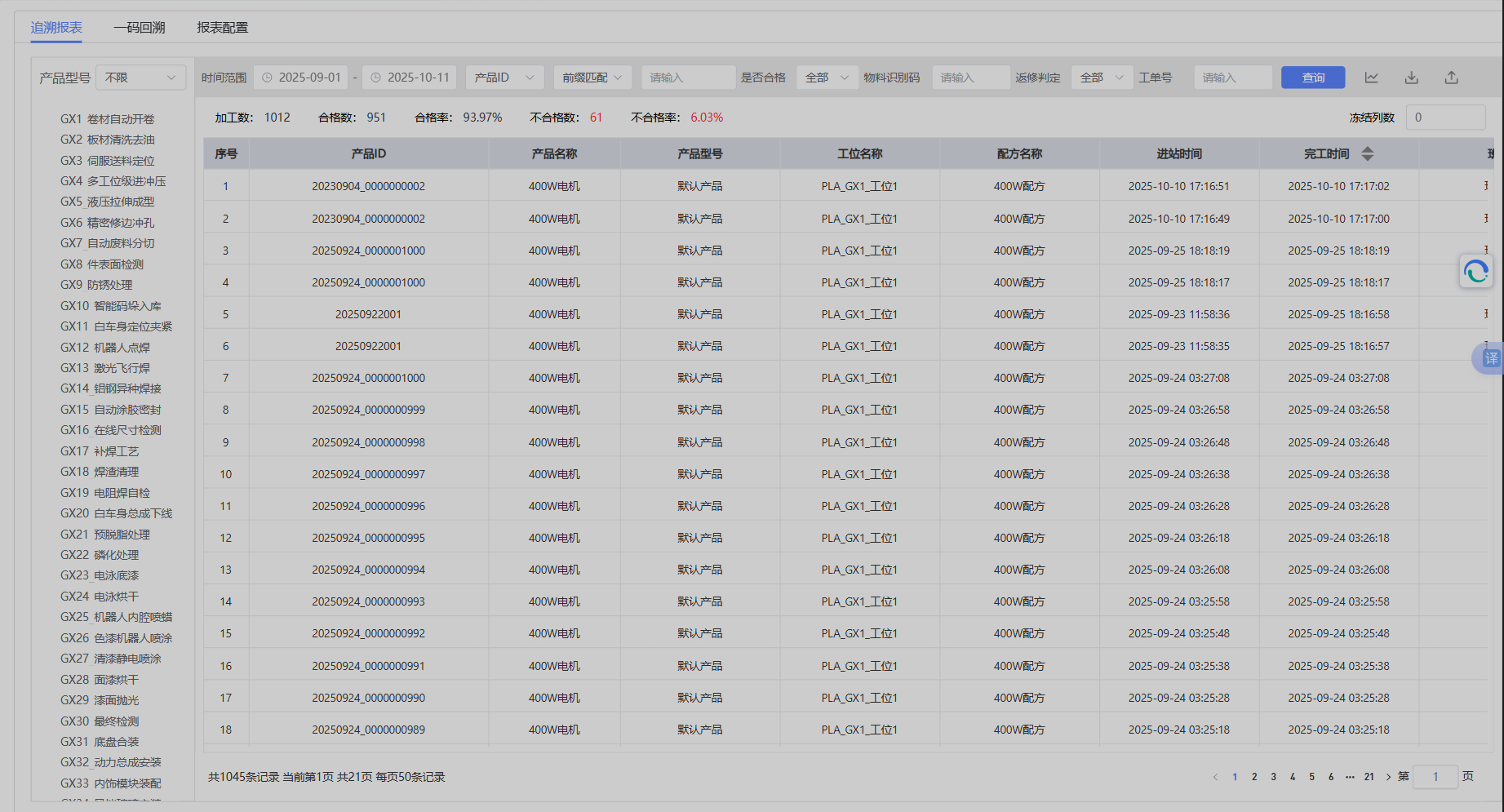
Support custom combination query of various key data.

- Time Range: Query data within the start time-end time range (exact match will ignore time conditions)
- Product Code/Update Code Match Query: Support prefix match, fuzzy match, suffix match, exact match
- Qualified Status Query
- Material Identification Code: Exact match/prefix match
- Rework Judgment
- Work Order Number: Exact match
Statistical product data, indicators are as follows:

- Processed Count = Deduplicated based on product code
- Qualified Count = Number of qualified products
- Non-conforming Count = Number of non-conforming products
- Qualified Rate = Qualified Count / Processed Count * 100%
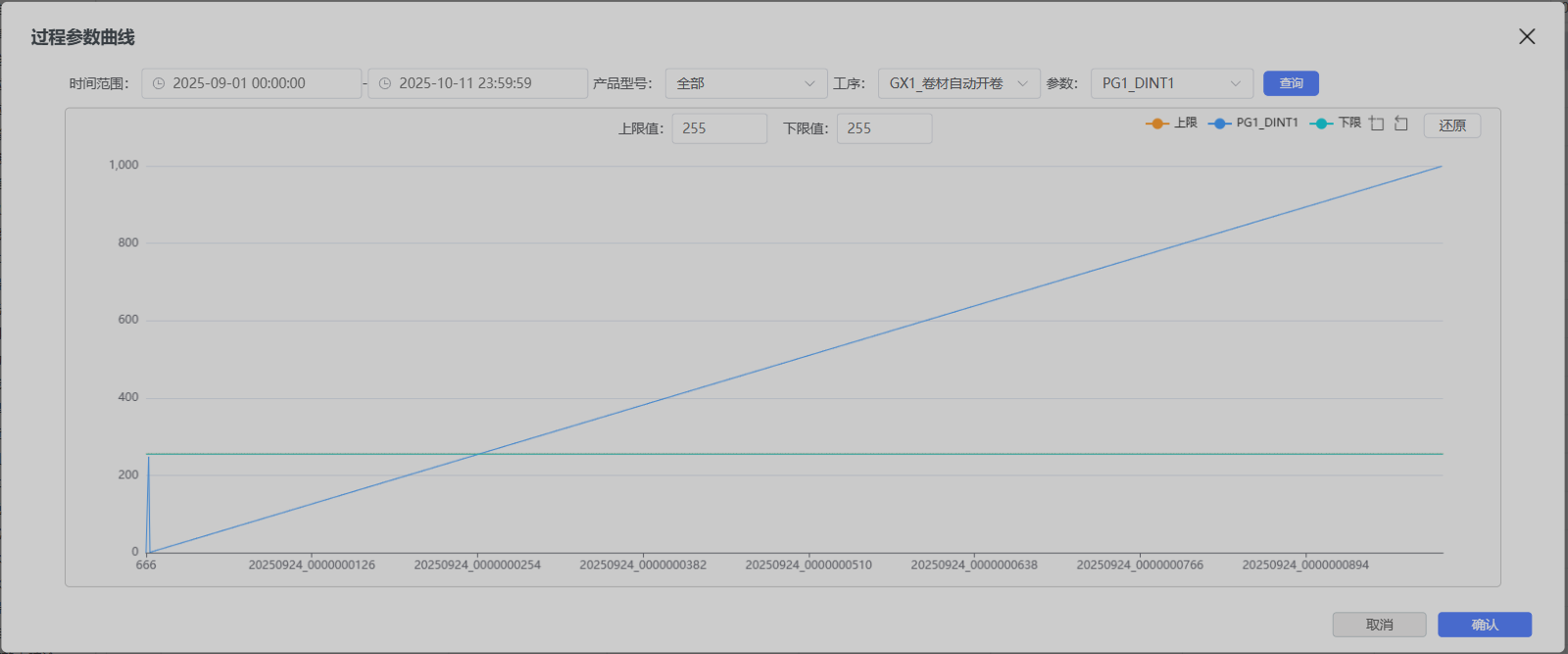
View Process Parameter Curve

Can be used to analyze data trends of specified parameters of traceability data.
Import Data
Used to manually import traceability data. The format needs to be Excel. The import template can be obtained through the export data function first.
Export Data
Used to export traceability data.
3.2 One Code Traceability
Can trace full-link production data of products based on any code of product code/material code/update code.
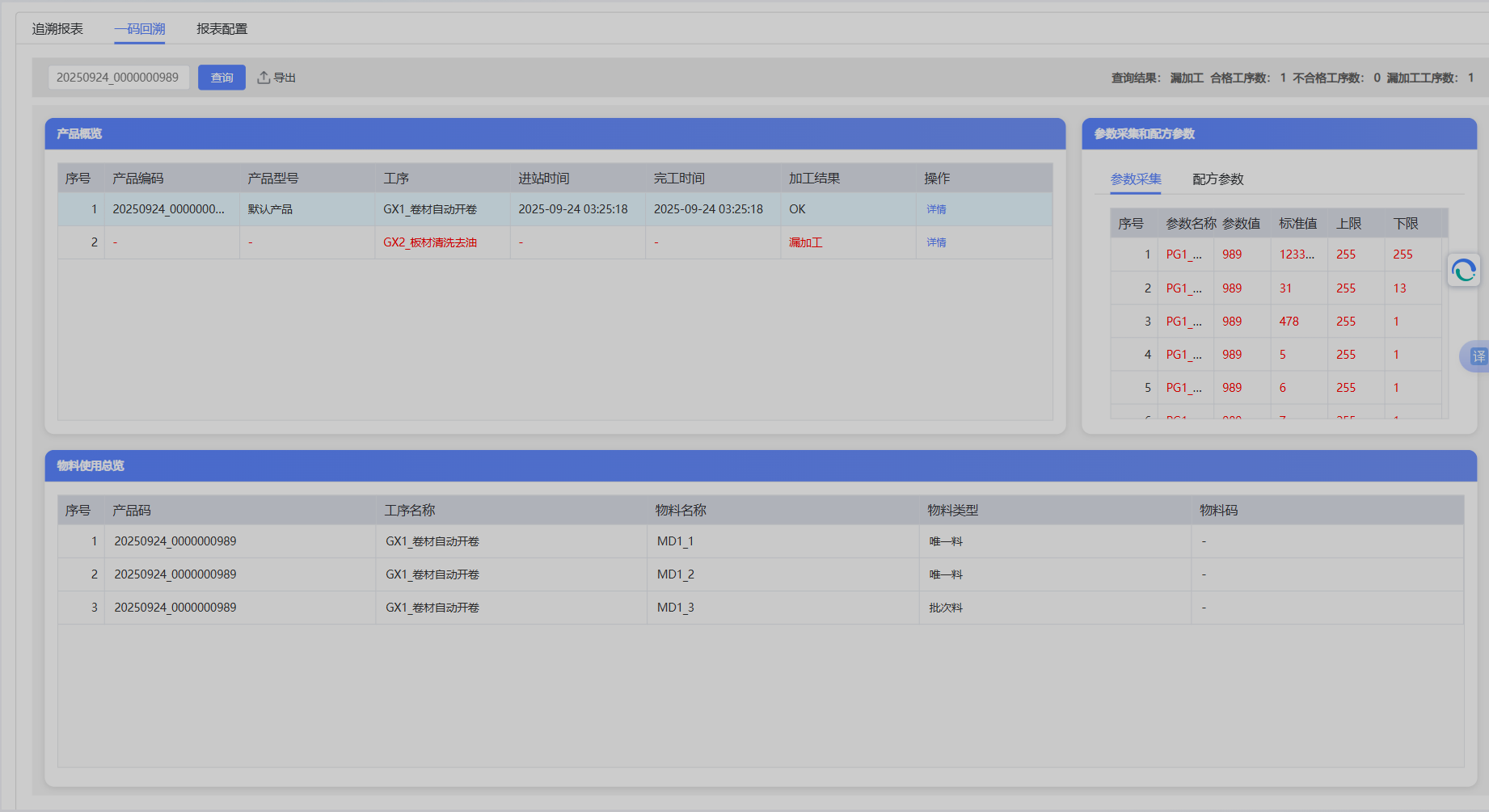
- Display production data of each process, including collection parameters and recipe parameters
- Clearly display processing results of each process, knowing production status, including OK, NG, Missed Processing
- Display material usage overview
- Only display the latest data in the same SN number
3.3 Report Configuration
Support configuration of business fields, display configuration, and master table configuration.
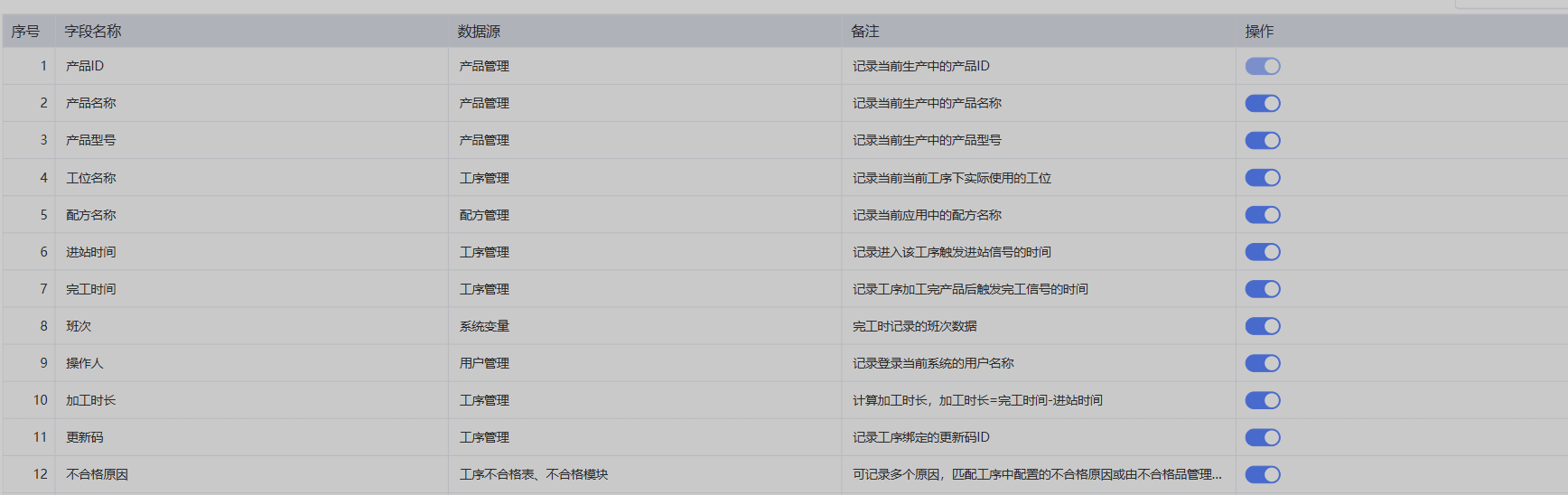
3.3.1 Business Field Configuration
Set the display or hiding and ordering of business fields (fixed fields) of the report. Note that some key fields cannot be operated.
3.3.2 Display Configuration
Set the display or hiding and ordering of dynamic fields (collection parameter fields, recipe parameter fields, material parameter fields, extended fields) of the report under different product models.
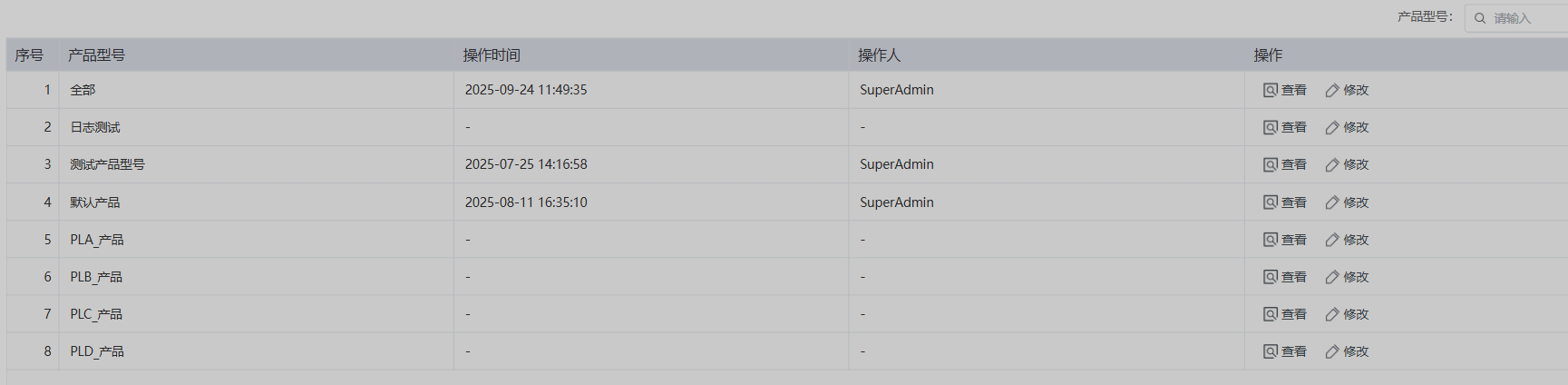
Click the product model that needs to be set to modify the configuration of this product model.
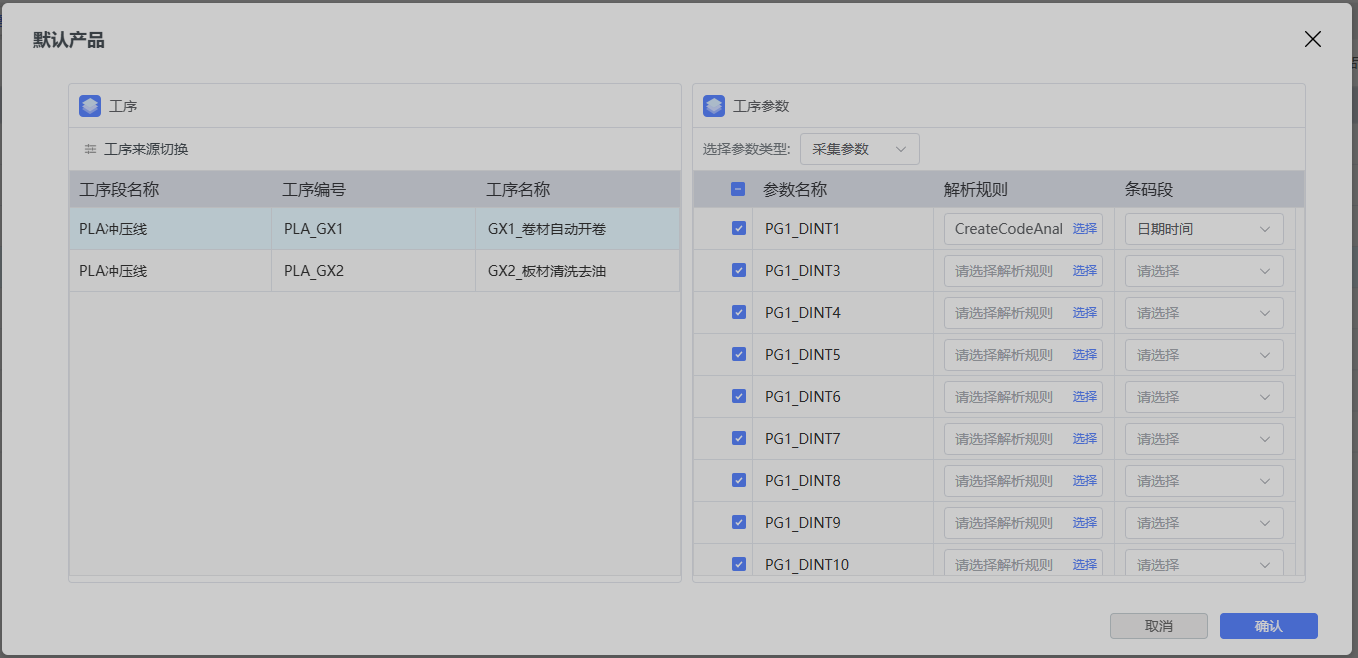
The left side is the process list. You can configure the parameter configuration on the right for different processes. If checked in the right list, this column will be displayed in the report, otherwise it will be hidden. For specific parameters, users can customize the echo value of the report, and can further process the original value before displaying it. If the original value of the parameter is BATCH_1000_ABC, and the user needs to display only 1000, they can configure the specified parsing rule in the barcode management module and configure the parsing rule and barcode segment here.
Note: The process list on the left defaults to the process route in the recipe of the product model. If users need to further customize the process, they can click Process Source Switch to customize the process list displayed in the report.

3.3.3 Master Table Configuration
Can query product data based on multiple processes.

New Master Table
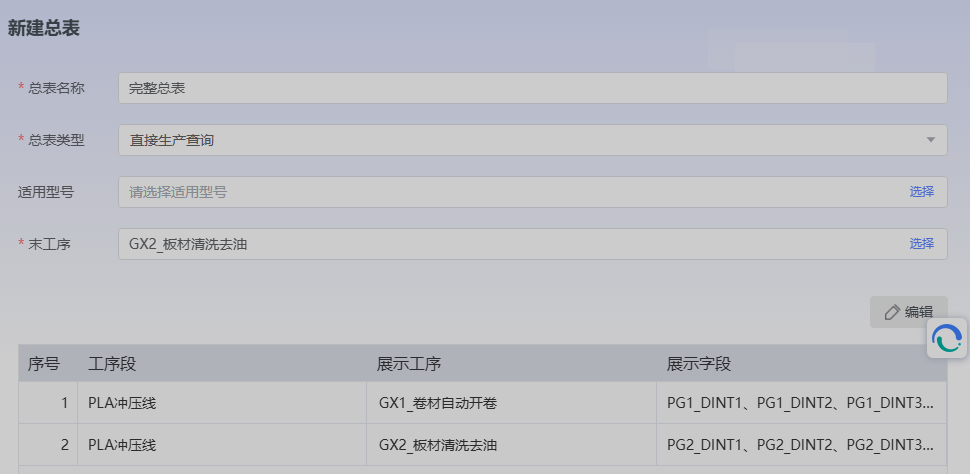
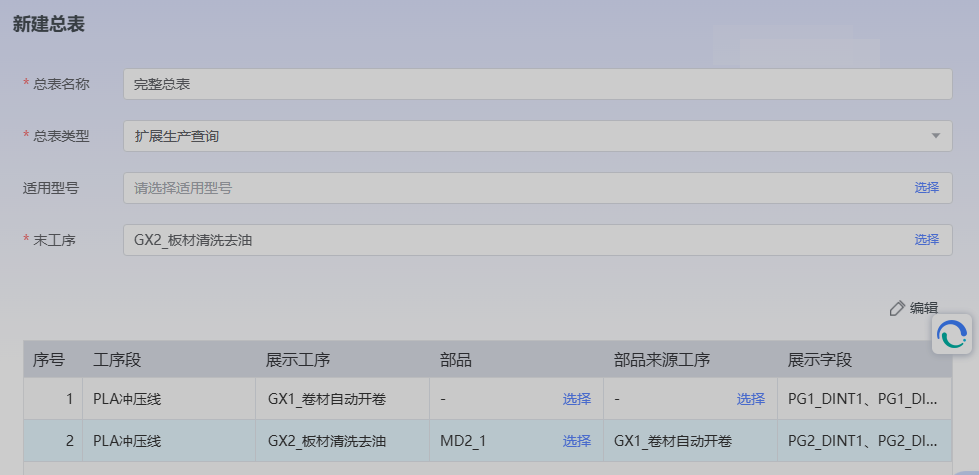
- Master Table Types include:
- Direct Production Query The association of processes under the master table only uses the product code as a bridge. Generally, this master table is used when the main code (product code) of the processes configured under the master table is consistent. For example, if the master table configures Process 1, Process 2, and Process 3, the product code used by the flowing product in Process 1, Process 2, and Process 3 does not change.
- Extended Production Query Can be used for cross-process segment queries. For example, if the master table configures Process 11, Process 12, Process 21, and Process 22, the product code of the product in Process 11 and Process 12 is consistent, but when flowing through Process 21 and Process 22, a new code will be regenerated, and the old code will be used as a bound material for the new code. In this case, this type can be used for configuration to trace complete data (excluding product update code).
- Applicable Models
Define which product model this master table belongs to, can select multiple or none. - End Process
Specify which process the data of this master table originates from. This configuration determines which process the data of the master table depends on. The master table will have data only if the process under this configuration has data.
Common Questions
- Query lag?
Traceability data is huge, so please set query conditions reasonably for efficient query of target data. - Export data volume limit?
Because EXCEL has a maximum data volume, and to ensure reasonable allocation of resources, currently export has a data volume limit. It is recommended to export by week/month, do not export data of ultra-large intervals at once.