Order Management
1. Module Overview
Core Functions: The Order Management module is a core component in the LMES system, responsible for managing the entire lifecycle of orders in the production process, including creating, querying, updating, deleting, and state transition operations. This module ensures the orderliness of the production process and data consistency through standardized process management and operation verification.
- Component ID: OrderManagement
- Component Name: Order Management
- Component Category: run (plugin)
2. Scenario Description
The Order Management module is applicable to the following business scenarios:
- Production Plan Execution: When the production plan is determined, orders need to be created to specifically execute production tasks.
- Production Process Control: During the production process, the production flow needs to be controlled through order state transitions, such as activating, issuing, pausing, completing, and ending orders.
- Production Data Tracking: Through orders, various data in the production process can be tracked, such as planned quantity, actual production quantity, qualified quantity, non-conforming quantity, etc.
- Production Resource Management: Order management involves the association and management of production resources such as products, recipes, and process segments.
3. Function Introduction
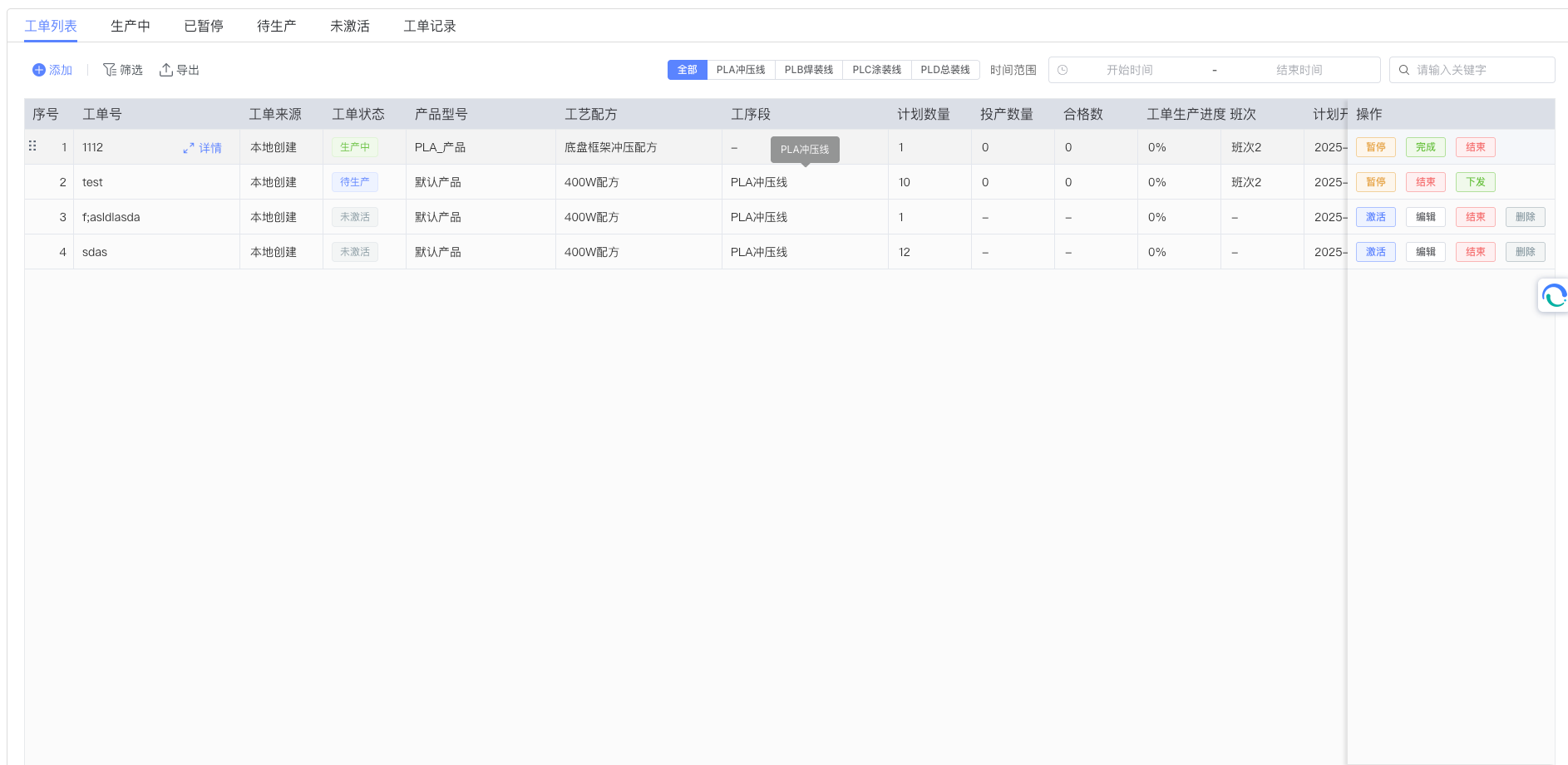
Interface Overview: The Order Management module provides comprehensive order management functions, including order creation, query, editing, deletion, and state transitions. The module adopts an intuitive interface design, enabling users to easily manage and monitor all orders.
3.1 Order List and Query
The order list area is used to centrally display and manage all orders. As shown in the figure above, the top of the interface provides a series of control tools: the "Search Box" on the right allows users to filter in real-time by order number or keywords; the middle of the interface provides a process segment filter that can filter orders by different order statuses (such as "Not Activated", "Pending Production", "In Production", "Completed", "Ended", etc.); in addition, there is a time range selector, facilitating users to filter by planned start time or planned end time.
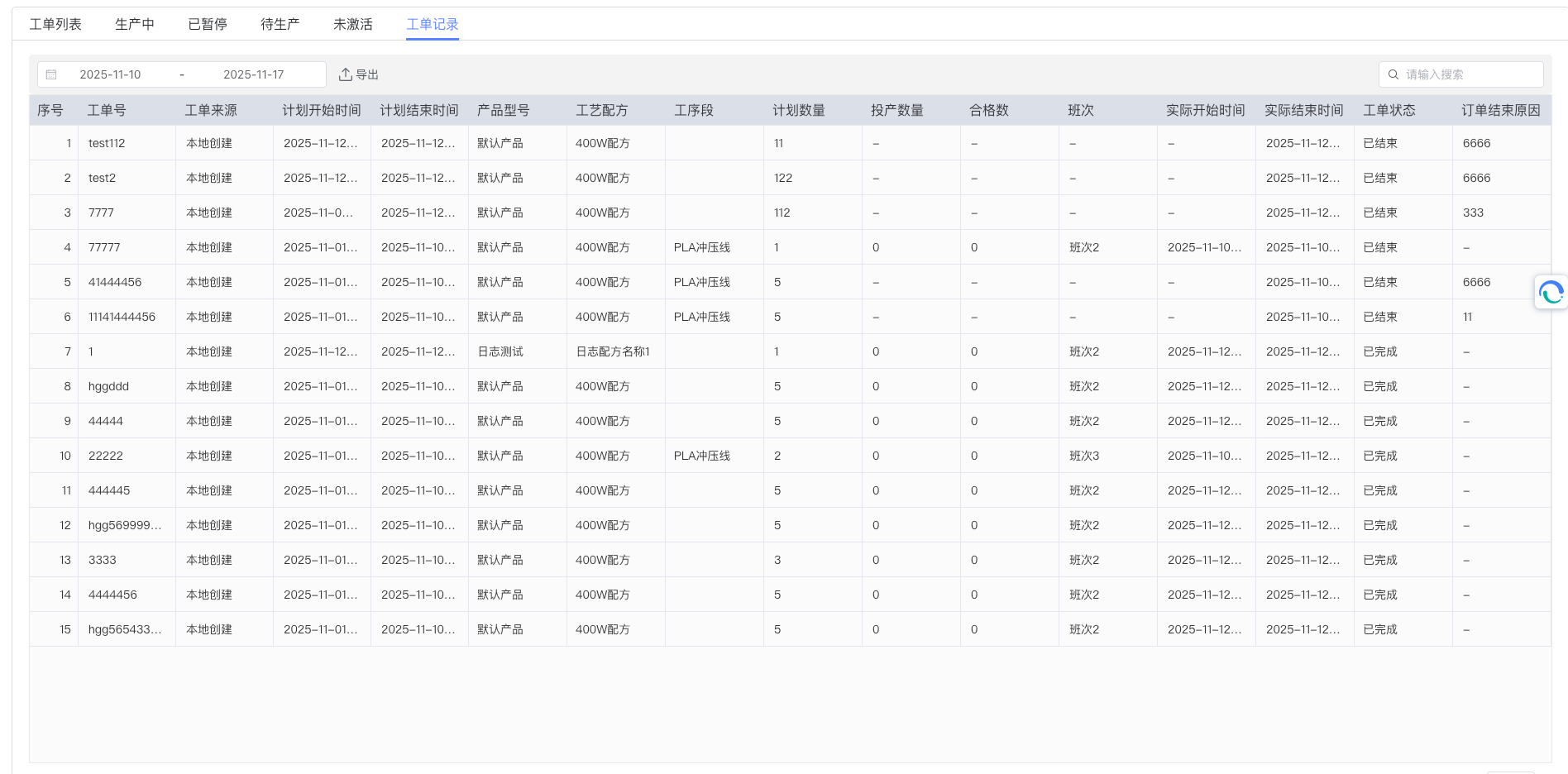
In the order list, each order record displays key information such as order number, product name, planned quantity, actual quantity, progress, and current status. Users can view detailed information by clicking on orders in the list.
3.2 Create New Order
To create a new order, click the "Add" button at the top of the interface. The system will pop up a dialog box (see figure below) containing various basic information fields for the order.
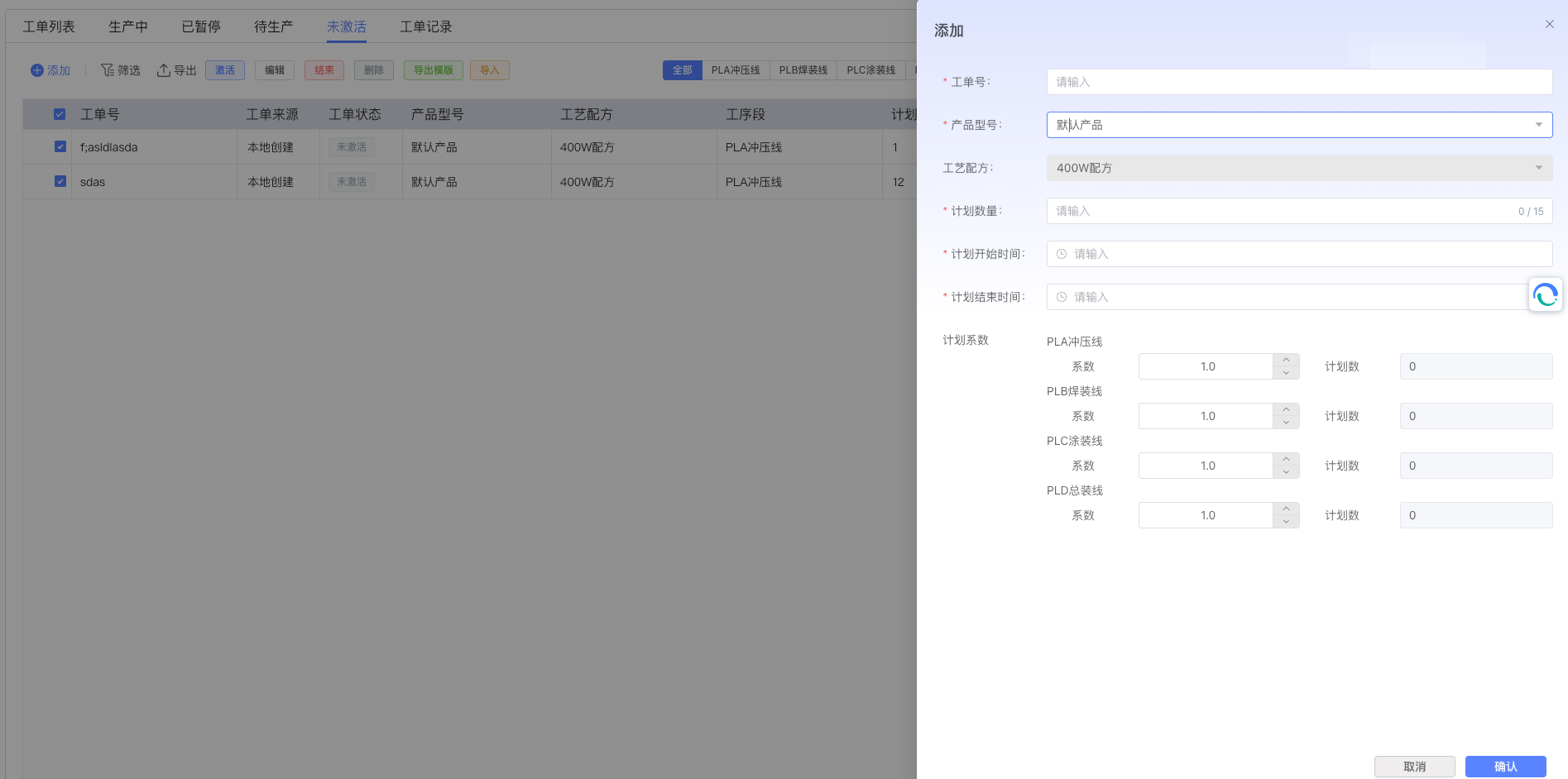
The new order dialog box contains the following required and optional fields:
- Order Number: Required, must uniquely identify the order
- Planned Quantity: Required, the planned production quantity for the order
- Planned Start Time: Optional, the planned start time for the order
- Planned End Time: Optional, the planned completion time for the order
- Associated Product: Required, select the product information associated with the order
- Associated Recipe: Required, select the recipe information associated with the order
- Product and Process Segment Ratio Configuration: Optional, can configure the production ratio of products in different process segments
After filling in, click the "Confirm" button in the lower right corner of the dialog box to complete the creation, click "Cancel" to close the dialog box.
3.3 Order State Transitions
The Order Management module provides complete state transition functions, supporting order flow between different states:
- Activate Order: Converts the order from "Not Activated" or "Paused" state to "Pending Production" state.
- Issue Order: Converts the order from "Pending Production" state to "In Production" state, indicating the order officially begins execution.
- Pause Order: Converts the order from "Pending Production" or "In Production" state to "Paused" state, used for temporarily interrupting production.
- Complete Order: Converts the order from "In Production" state to "Completed" state, indicating the order production task is complete.
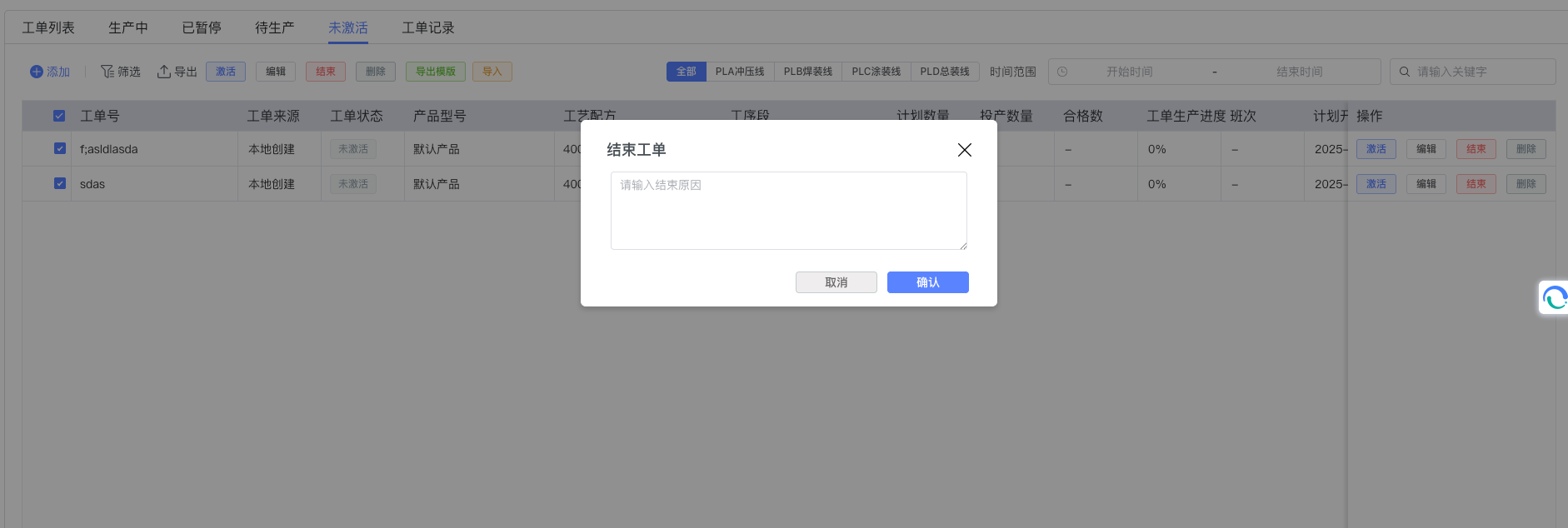
- End Order: Converts the order from "Completed" state to "Ended" state, indicating the order lifecycle has ended.
The figure below shows the end order operation interface:
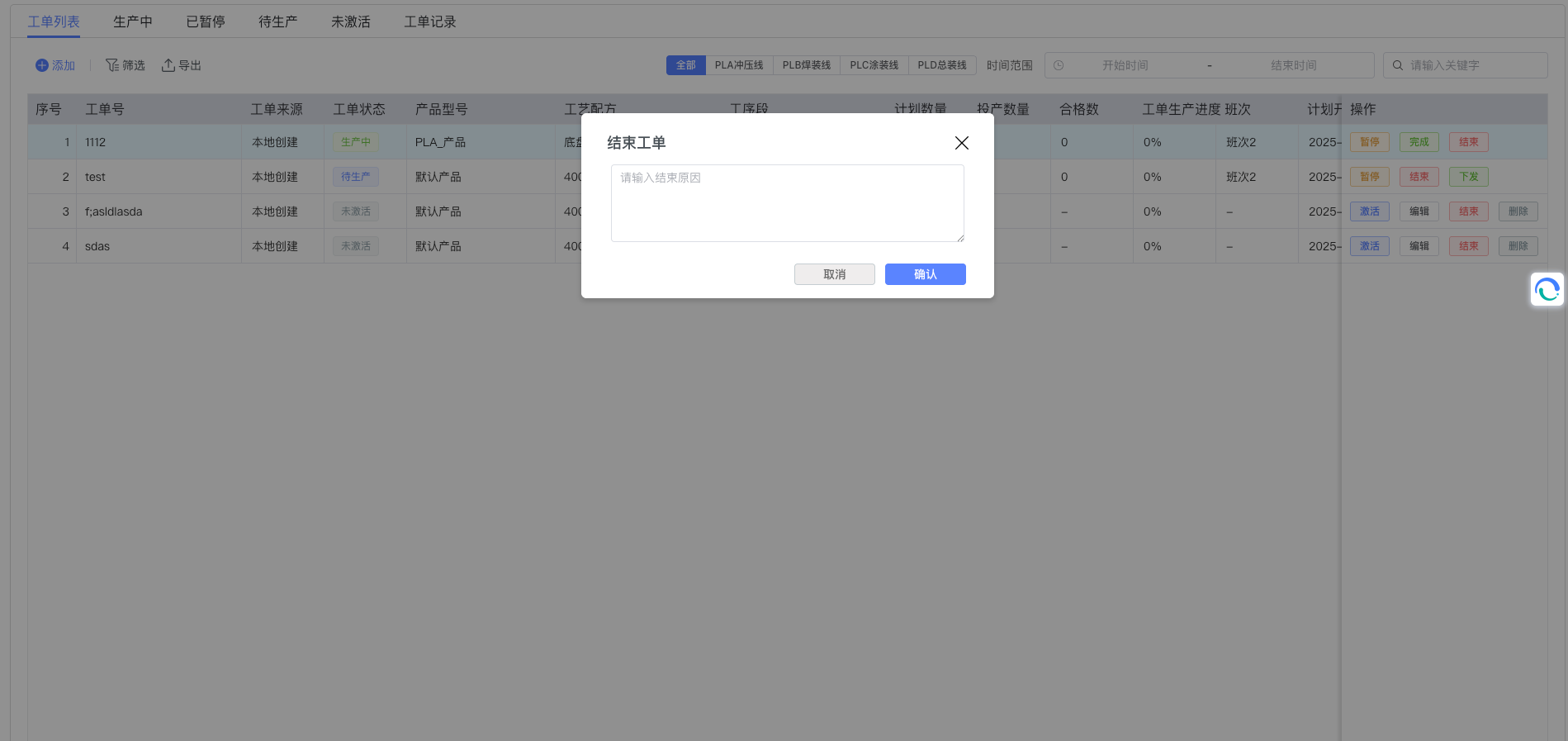
Each state transition has strict business rules and preconditions. The system will automatically verify these conditions to ensure the standardization of the production process and data consistency.
3.4 Batch Operations
To improve work efficiency, the Order Management module also provides batch operation functions, supporting simultaneous operations on multiple orders, such as batch activation, batch issuance, batch pause, batch completion, and batch ending. Users only need to select multiple orders in the order list and then click the corresponding batch operation button.
3.5 Export Template
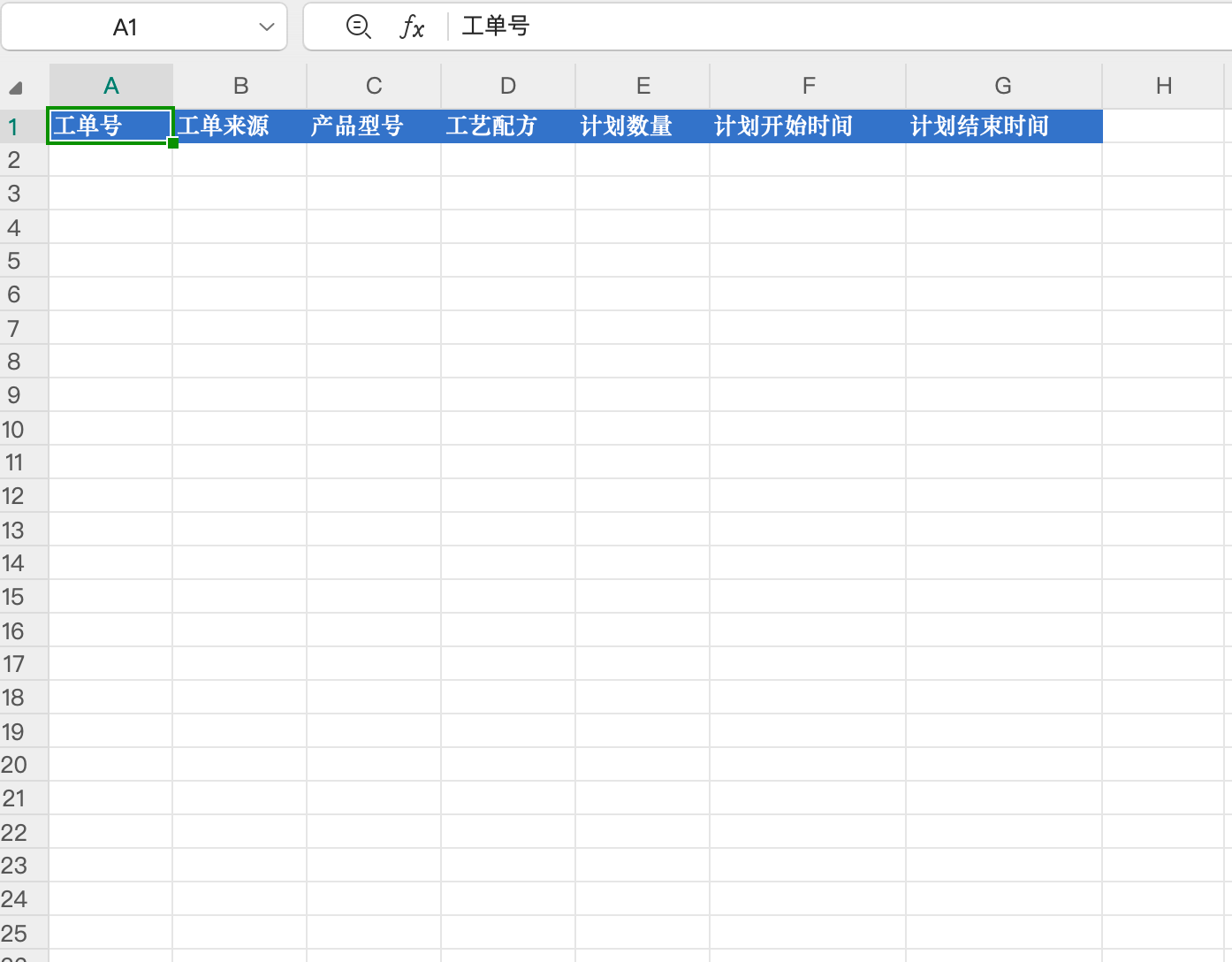
Click export template to automatically download an order template. Fill in according to the template content, then import to quickly complete order creation.
4. Best Practices and Precautions
4.1 Operation Precautions
- Order Number Uniqueness: When creating orders, please ensure the uniqueness of order numbers to avoid duplicate creation.
- State Transition Sequence: Please perform state transitions according to the normal order flow, avoiding skipping necessary states.
- Permission Management: Different user roles may have different order operation permissions. Please confirm your operation permissions before use.
- Data Integrity: When creating and editing orders, please ensure complete and accurate data is filled in, especially required fields.
4.2 Common Problem Handling
- State Transition Failure: If state transition fails, please check if the current order state meets the transition conditions.
- Order Deletion Restrictions: The system restricts deletion of orders with source "Local Creation" and status "Pending Production" or "Not Activated". Please confirm order status and source.
- Concurrent Modification Conflict: If concurrent modification conflict occurs, please retrieve the latest order status before operating again.